
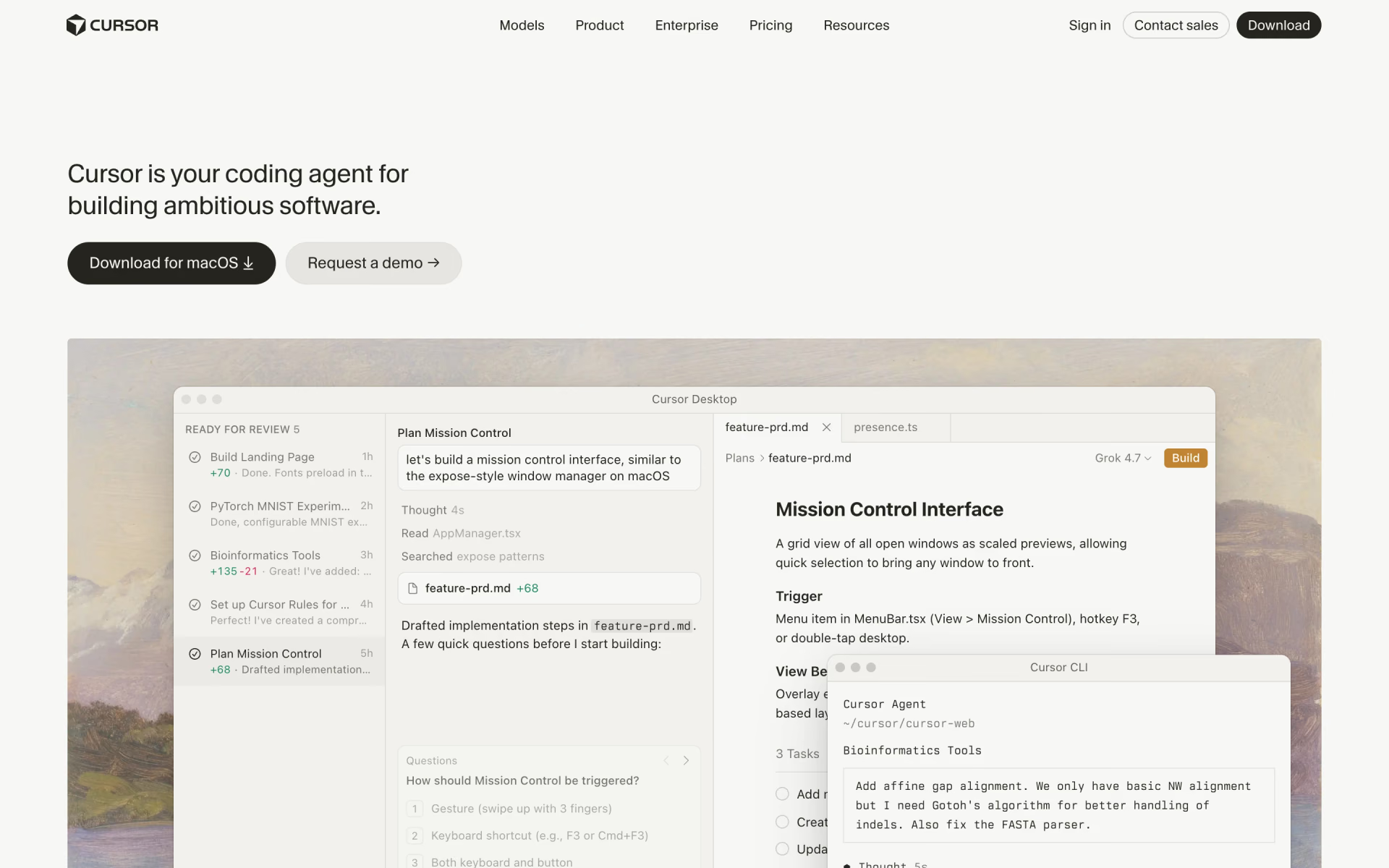
What is Cursor?
The AI code editor: agents, tab completion and a CLI.
Who is Cursor best for?
Cursor is best for developers who want an AI agent inside their editor, terminal and pull requests.
Developers handing off whole tasks
Its agent plans, edits and tests code across a project, and cloud agents keep working in parallel on their own machines while you review the results.
Everyday coding in the editor
Tab completions and targeted inline edits sit in a desktop editor, so small changes do not need a chat window.
Terminal and pull request work
The same agent runs from a command-line tool, answers in Slack and reviews pull requests on GitHub with Bugbot.
Engineering teams
Teams seats add shared billing, SSO, usage analytics and privacy mode enforced across the team, with Enterprise for pooled usage and audit logs.
How much does Cursor cost?
Cursor has a free plan with limited Agent use, and paid plans cost $8 a month for Plus, $30 for Premium, $100 for Super and $200 for Ultra, or from $30 per user a month for Teams.
- Limited Agent requests in Cursor
- Limited Grok Chat, Imagine and Grok Build
- Agent with Cursor's own Grok and Composer models only
- Weekly usage pool shared with the Grok apps
- No cloud agents, Bugbot or third-party models
- 4x the usage of Plus
- Cloud agents, automations, Bugbot reviews and Origin code hosting
- Third-party models at API list price from prepaid credit
- 15x the usage of Plus
- Priority model access at peak times
- Everything in Premium
Ultra costs $200 a month for 50x the usage of Plus and the earliest access to new models. Teams seats cost $30, $100 or $200 per user a month (Premium, Super or Ultra, mixed freely) and add central billing, SSO, usage analytics and team-wide privacy mode; Enterprise is priced on request with pooled usage. Paying yearly costs $80 for Plus, $300 for Premium, $1,000 for Super and $2,000 for Ultra. Cursor is now sold as part of The X Subscription, one plan with Grok and X, and each plan's weekly pool for Cursor's own models is shared with the Grok apps. Third-party models such as Claude, GPT and Gemini are not included: from Premium up they bill at API list price from prepaid credit, plus $0.25 per million tokens on Teams and Enterprise. Prices exclude tax. Existing Hobby, Pro, Pro+ and Ultra subscribers can keep their plans. Full pricing on cursor.com. We checked these prices on .
How do readers rate Cursor?
No one has rated Cursor yet. Be the first.
Sign in to rate. One rating per account.
What are the best Cursor alternatives?
Two tools on Recaply do Cursor's job. Both are open source, so you can run them on your own server.


Articles about Cursor
Five of our articles cover Cursor, with every price checked on the makers' own pages.
MCP vs skills: MCP connects an AI agent to outside apps and data, skills teach it a job, and plugins bundle both. When to use each, with examples.
The best Claude Code skills to install in 2026BestThe best Claude Code skills to install first: Superpowers for testing and debugging, plus Anthropic's frontend-design and document skills.
The best AI coding agents in 2026, by price and usage limitsBestThe best AI coding agent for most developers is Codex: a free plan, and one subscription everywhere it runs. Claude Code, Copilot, Cursor and more compared.
How to install skills in Claude Code, Codex and CursorHow toHow to install skills in Claude Code, Codex and Cursor: copy the skill's folder into .claude/skills, .agents/skills or .cursor/skills, then check it.
What are agent skills? How SKILL.md works, tool by toolExplainerWhat are agent skills? Folders with a SKILL.md file that teach an AI agent one job. How they load, and where Claude Code, Codex and Cursor keep them.
Questions about Cursor
What is Cursor?
The AI code editor: agents, tab completion and a CLI.
Who is Cursor for?
Cursor is best for developers who want an AI agent inside their editor, terminal and pull requests.
Is Cursor free?
Yes. Cursor has a free plan: limited Agent requests in Cursor.
How much does Cursor cost?
Cursor's paid plans are Plus at $8 per month, Premium at $30 per month and Super at $100 per month.
Is there an open source alternative to Cursor?
Yes. Tabby and Zed are open source tools that do the same job, so you can run your own.
What are the best Cursor alternatives?
The closest alternatives on Recaply are Tabby and Zed.
Where can I try Cursor?
On its official website, cursor.com.
What happens when I use up my Cursor plan's usage?
Each paid Cursor plan includes a weekly pool for Cursor's own models, shared with the Grok apps. When it runs out, you can wait for the weekly reset, keep working on prepaid credit at the same per-model rates, or move to a higher plan, and requests are not downgraded.
Why is Cursor sold together with Grok and X?
SpaceX acquired Cursor, and new customers now buy it as part of The X Subscription, one plan for Cursor, Grok and X sold by X Subscription Corp. Existing Pro, Pro+ and Ultra subscribers keep their plans unless they switch, and switching cannot be undone.

 T3 Code

 Orchestrator.inc

 GitHub Copilot

 Kilo Code
 JSON Editor Online

 Cline