
What is Z-Image?
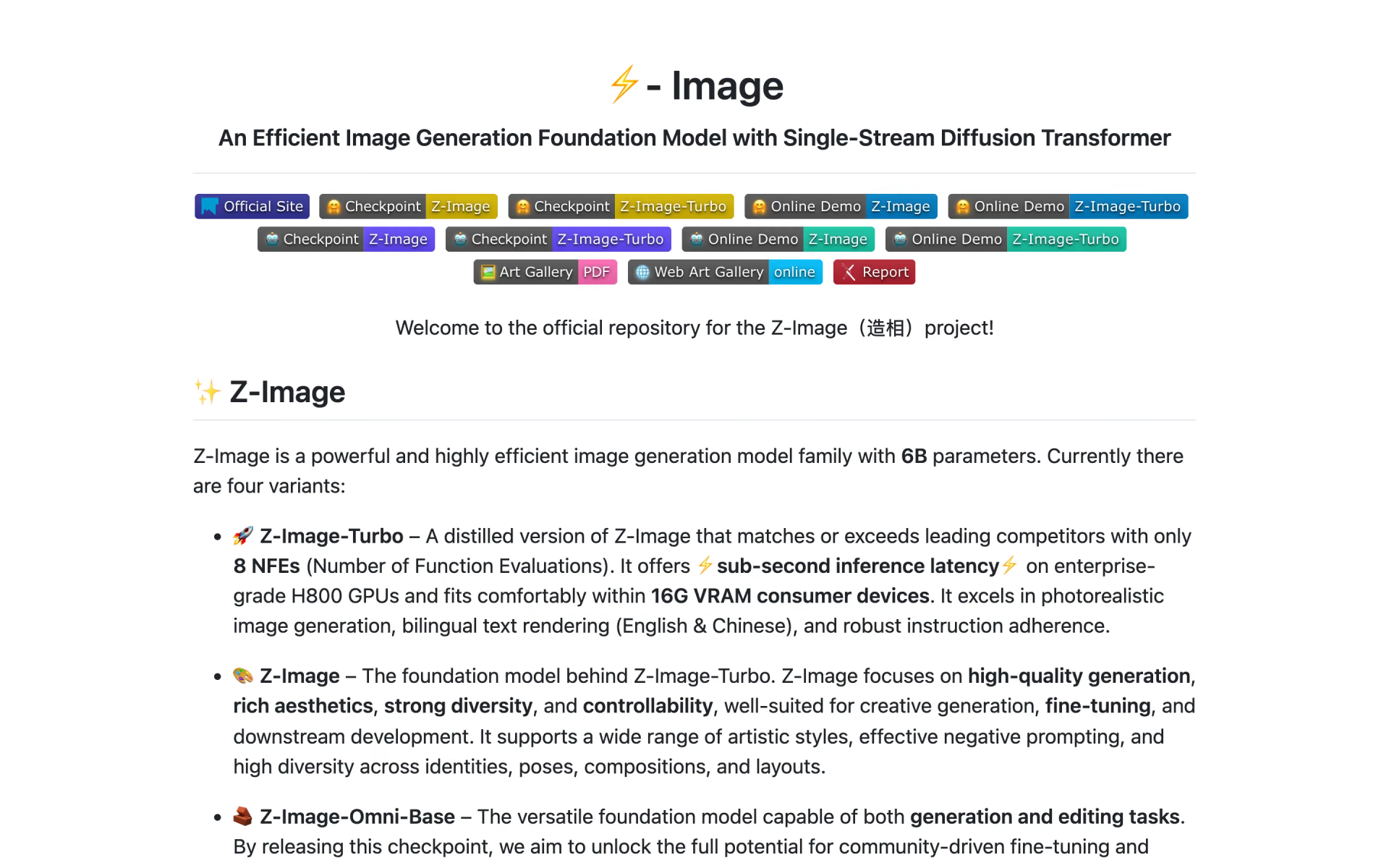
Z-Image is a 6B-parameter text-to-image family from Alibaba's Tongyi Lab, built on a single-stream diffusion transformer. Two models are out as open weights: Z-Image-Turbo, distilled to 8 steps and small enough for a 16GB graphics card, and Z-Image, the slower base model meant for fine-tuning and LoRA training. Z-Image-Edit and Z-Image-Omni-Base are announced but not released.
It is current, with no successor. Its edge over other open image models is size: GLM-Image, for example, needs about 23GB of GPU memory even with offloading. The Apache 2.0 licence also allows commercial use without a separate agreement.
Who is Z-Image best for?
Z-Image is best for people generating images on their own 16GB graphics card, posters with English or Chinese text, LoRA and fine-tuning work, and cheap hosted images at $0.015 each.
Image generation on a home GPU
Z-Image-Turbo fits in 16GB of VRAM and needs only 8 steps, so a consumer graphics card can run it.
Text inside images
Its makers point to accurate rendering of complex English and Chinese text, which suits posters and signs.
Fine-tuning and LoRA work
The base Z-Image model keeps more variety than Turbo and is meant as a starting point for fine-tuning and custom models.
Low-cost hosted images
Teams that do not want to run GPUs can call z-image-turbo on Alibaba Cloud for $0.015 an image.
What's included with Z-Image?
Two open models, an 8-step Turbo and a trainable base, with English and Chinese text, sizes up to 2048 pixels, optional prompt rewriting on the API and broad tool support.
- 8-step Turbo model
- Z-Image-Turbo runs in 8 steps with no guidance, and Tongyi reports under a second per image on an H800 GPU.
- English and Chinese text
- Draws text in both languages inside images, including small type on posters.
- Trainable base model
- Z-Image takes negative prompts and guidance, runs 28 to 50 steps, and keeps more variety for fine-tunes and LoRAs.
- Flexible sizes
- Images from 512 x 512 up to 2048 x 2048 pixels, at any aspect ratio.
- Prompt rewriting on the API
- Alibaba Cloud can expand your prompt with a reasoning step first, for $0.03 an image instead of $0.015.
- Broad tool support
- Runs in Hugging Face diffusers or plain PyTorch, and Tongyi lists community support in stable-diffusion.cpp, vLLM-Omni, SGLang and DiffSynth-Studio.
How much does Z-Image cost?
Z-Image is free: its 6B-parameter weights are released under the Apache 2.0 licence to run on your own GPU, and Alibaba Cloud's Model Studio API charges $0.015 per Z-Image-Turbo image if you would rather not host it.
- 8 steps, fits in 16GB of VRAM
- Photoreal images with English and Chinese text
- Weights on Hugging Face and ModelScope
- Base model for fine-tuning and LoRA training
- 28 to 50 steps, 512 to 2048 pixels a side
- Supports negative prompts
- $0.03 per image with prompt rewriting on
- 100 free images for 90 days, Singapore region only
- Billed on output images only
Only the Turbo model is sold through Alibaba Cloud Model Studio, and only in its Singapore (International) and China (Beijing) regions, with no US region; the card shows the Singapore price. In Beijing z-image-turbo costs $0.01434 per image, or $0.02868 with prompt rewriting. Z-Image-Omni-Base and Z-Image-Edit are announced but not released. Free demos of both models run on Hugging Face Spaces and ModelScope. Full pricing on alibabacloud.com. We checked these prices on .
How do readers rate Z-Image?
No one has rated Z-Image yet. Be the first.
Sign in to rate. One rating per account.
Z-Image pros and cons
It is fast, photoreal and free for commercial use, but its outputs lean to one look, it is slow on Macs, and the promised editing model is still not out.
Pros
- It is fast on ordinary hardware: users report about 3 seconds an image on an RTX 4090 and under a minute on 8GB and 12GB RTX 30-series cards.
- Testers like that it aims for real photos rather than the glossy AI look, and say it gets anatomy and hands right more often than they expect from a 6B model.
- The Apache 2.0 licence allows commercial use, and users say the base model trains LoRAs quickly and well.
- Short English text usually comes out right for its size, though testers still see the odd dropped letter.
Cons
- Outputs drift to one look: users report studio lighting, stock outfits and Chinese faces or lettering unless the prompt says otherwise, and Tongyi itself rates Turbo's diversity as low.
- Prompt adherence trails larger open models such as Qwen-Image on complex scenes, and it wants long, descriptive prompts rather than tag lists.
- Slow on Macs: Apple Silicon users report a minute or more per image, against seconds on a recent Nvidia card.
- Z-Image-Edit and Z-Image-Omni-Base are still marked as to be released, so there is no official editing model.
Is Z-Image open source?
Yes. Z-Image's code is public under the Apache 2.0 licence, so you can run it on your own server.
On GitHub
12,152stars
- Last commit
- 9 Feb
- Repository age
- 12 months
- Licence
- Apache 2.0
- Self-hosted
- Yes
- Repository
- Tongyi-MAI/Z-Image
What are the best Z-Image alternatives?
Z-Image is an open source alternative to FLUX 3 Image Klein, Hunyuan Image 3.0, Ideogram 4.0 and Krea 2. GLM-Image and ERNIE-Image do the same job and are open source too.
 FLUX 3 Image KleinFree
Black Forest Labs' 5.6B open-weights model for image edits, text-to-image and box layouts on one GPU.
 Hunyuan Image 3.0Free
Tencent's open text-to-image and editing model.
 Ideogram 4.0Free
Choose it when text rendering matters most and a licence fee is fine; its weights are free only for non-commercial use, and self-hosted commercial use starts at $300 a month for 10,000 images.
 Krea 2Free
Krea's image model with style references and moodboards.
 GLM-ImageOpen Source
Choose it when you need image editing or dense text layouts from an open model now; it does image-to-image under an MIT licence, but needs about 23GB of GPU memory even with CPU offloading.
 ERNIE-ImageOpen Source
Baidu's 8B open text-to-image model under Apache 2.0.
Questions about Z-Image
What is the difference between Z-Image and Z-Image-Turbo?
Z-Image-Turbo is the distilled, 8-step version built for speed: under a second per image on H800 GPUs and small enough for 16GB cards. Z-Image is the base model behind it, slower at 28 to 50 steps but more varied, with negative prompts, and better for fine-tuning.
Who is Z-Image for?
Z-Image is best for people generating images on their own 16GB graphics card, posters with English or Chinese text, LoRA and fine-tuning work, and cheap hosted images at $0.015 each.
Is Z-Image free?
Yes. Z-Image has a free Z-Image-Turbo plan: 8 steps, fits in 16GB of VRAM.
How much GPU memory does Z-Image need?
Tongyi Lab says Z-Image-Turbo fits in 16GB of VRAM, and its code can offload parts of the model to the CPU on smaller cards, at lower speed. Its GitHub page also lists stable-diffusion.cpp, a community port that runs it with as little as 4GB.
Is Z-Image open source?
Yes. Z-Image's code is public under the Apache 2.0 licence, so you can run it on your own server.
What are the best Z-Image alternatives?
The closest alternatives on Recaply are FLUX 3 Image Klein, Hunyuan Image 3.0, Ideogram 4.0, Krea 2, GLM-Image and ERNIE-Image.
Where can I try Z-Image?
On its official website, github.com.
Can I use Z-Image commercially?
Yes. Z-Image's code and the Z-Image and Z-Image-Turbo weights are released under the Apache 2.0 licence, which allows commercial use, changes and redistribution as long as the licence and its notices stay with the code.
Is Z-Image-Edit available?
No. Tongyi Lab still lists Z-Image-Edit, its instruction-following editing model, and Z-Image-Omni-Base, a base for both generation and editing, as to be released. Only Z-Image-Turbo and the base Z-Image can be downloaded.
Can I use Z-Image through an API?
Yes. Alibaba Cloud Model Studio sells z-image-turbo at $0.015 per image in its Singapore region, or $0.03 with prompt rewriting. Each call takes a prompt of up to 800 characters and returns one PNG from 512 to 2048 pixels a side, through a link that expires after 24 hours.
Our verdict
Z-Image-Turbo is the open image model to try first if you generate on your own Nvidia GPU.
It makes photoreal images in 8 steps on a 16GB card, handles English and Chinese text, and its Apache 2.0 licence covers commercial use; the hosted API costs $0.015 an image.
- Skip it for
- Mac-only setups, and anyone who needs instruction-based editing, since Z-Image-Edit is still unreleased.
- Check first
- Run your own prompts for variety before you commit; Turbo tends to repeat the same lighting, clothes and faces.

 GPT Image 2

 MAI-Image-2
 Canva Craft

 MAI-Image-2-Efficient
 EVF-SAM-2

 Bonsai Image 4B