
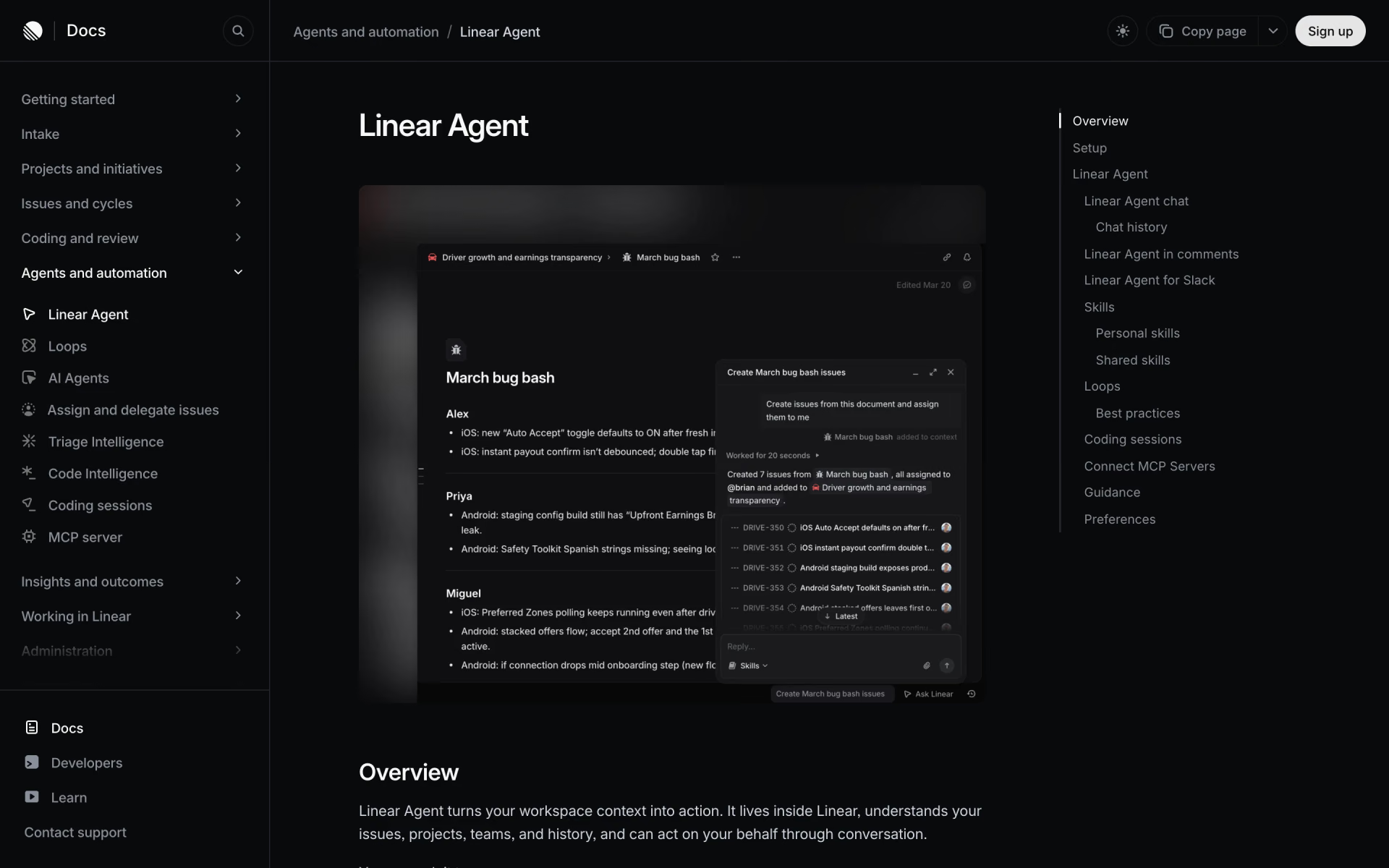
What is Linear Agent?
Linear's built-in AI agent that creates issues, drafts specs and updates, and answers workspace questions.
Who is Linear Agent best for?
Linear Agent is best for teams on Linear who want backlogs and Slack threads turned into issues, specs and updates.
Product managers scoping work
It finds related issues and customer requests, groups them and pulls out shared requirements as a starting point for a spec.
Status updates and catch-ups
Ask what changed on a project or what is at risk in a cycle, and it drafts the update from your workspace data.
Turning discussions into issues
Mention @Linear in Slack, Teams or a comment and it creates and assigns issues from the conversation.
Repeatable team routines
Good prompts become shared skills, and on Business plans Loops run them on a schedule or when issues enter triage.
How much does Linear Agent cost?
Linear Agent is included on every Linear plan, including the free one; paid plans start at $12 per user a month, and Loops and Code Intelligence need the $18 Business plan.
- Linear Agent included
- Unlimited members, 2 teams
- Up to 250 issues
- Linear Agent included
- 5 teams, unlimited issues
- Unlimited file uploads and admin roles
- Loops for automated agent workflows
- Code Intelligence and Triage Intelligence
- Unlimited teams, Zendesk and Intercom
Yearly billing brings Basic to $10 and Business to $16 per user a month. Enterprise is priced on request, billed annually, with SAML, SCIM and priority support. Linear has said chat with the agent stays in the seat price, while heavy automated workloads may later move to usage-based pricing above a threshold. Full pricing on linear.app. We checked these prices on .
How do readers rate Linear Agent?
No one has rated Linear Agent yet. Be the first.
Sign in to rate. One rating per account.
How do I connect Linear to my AI agent?
Linear MCP is Linear's official MCP server. Add it to your agent once, then ask it to file, find and update Linear issues and projects.
Connects your agent to your Linear workspace, so it can open issues from a conversation, search existing work and update status, owners and project progress.
$ claude mcp add --transport http linear https://mcp.linear.app/mcp
Claude Code connects to Linear over the web.
Run /mcp and sign in to Linear in the browser.
Then ask your agent
- Runs
- On the web
- Sign-in
- OAuth
- Checked
- Answered 22 Nov
- Guide
- linear.app
What are the best Linear Agent alternatives?
One tool on Recaply does Linear Agent's job.

Articles about Linear Agent
One of our articles covers Linear Agent, with every price checked on the makers' own pages.
Questions about Linear Agent
What is Linear Agent?
Linear's built-in AI agent that creates issues, drafts specs and updates, and answers workspace questions.
Who is Linear Agent for?
Linear Agent is best for teams on Linear who want backlogs and Slack threads turned into issues, specs and updates.
Is Linear Agent free?
Yes. Linear Agent has a free plan: linear Agent included.
How much does Linear Agent cost?
Linear Agent's paid plans are Basic at $12 per user per month and Business at $18 per user per month.
Does Linear have an MCP server?
Yes. Linear MCP is Linear's official MCP server, so agents such as Claude Code, Cursor, Codex and GitHub Copilot can file, find and update Linear issues and projects. Linear runs it on the web and you sign in with your Linear account.
What are the best Linear Agent alternatives?
The closest alternatives on Recaply are Asana AI Teammates.
Where can I try Linear Agent?
On its official website, linear.app.
Can Linear Agent see issues I don't have access to?
No. Linear Agent works within your existing Linear permissions, so it can only read or change content you can already access. Workspace admins can also switch it off for the whole workspace in the AI settings.

 Plane
 GPT Workspace
 Macro
 CarBeast

 Taska

 Backlog.cloud