 Hugging Face
 LLM Course
Work with transformer models, datasets and tokenizers on the Hugging Face Hub, for developers with good Python.
Taught by Abubakar Abid, Ben Burtenshaw and 2 more at Hugging FaceFreeCertificateVerified
- From Setup to Build Reasoning Models
- 13 chapters
- Open-source Python framework for ML demo UIs
 Gradio
- Before you startGood knowledge of Python; best taken after an intro deep learning course; no PyTorch or TensorFlow needed.
- Intermediate level
- Each chapter is planned as one week at 6 to 8 hours
- Self-paced
What you’ll learn
- Learn how Transformer models and LLMs work, and when to use encoder, decoder or encoder-decoder models.
- Use pretrained models from the Hugging Face Hub, fine-tune them on a dataset and share the results.
- Use the Datasets and Tokenizers libraries and solve classic NLP tasks.
- Build and share demos of your models with Gradio, and curate datasets with Argilla.
- Fine-tune LLMs with supervised fine-tuning and LoRA, and build reasoning models with GRPO.
Skills you’ll gain
Tools you'll learn
Details to know
- Certificate of completionFree, for chapter 1 only
- Assessments10 quizzes and 2 exercises
- Taught in English8 languages available
- VerifiedOct 2026
Lessons
Each chapter is planned as one week at 6 to 8 hours
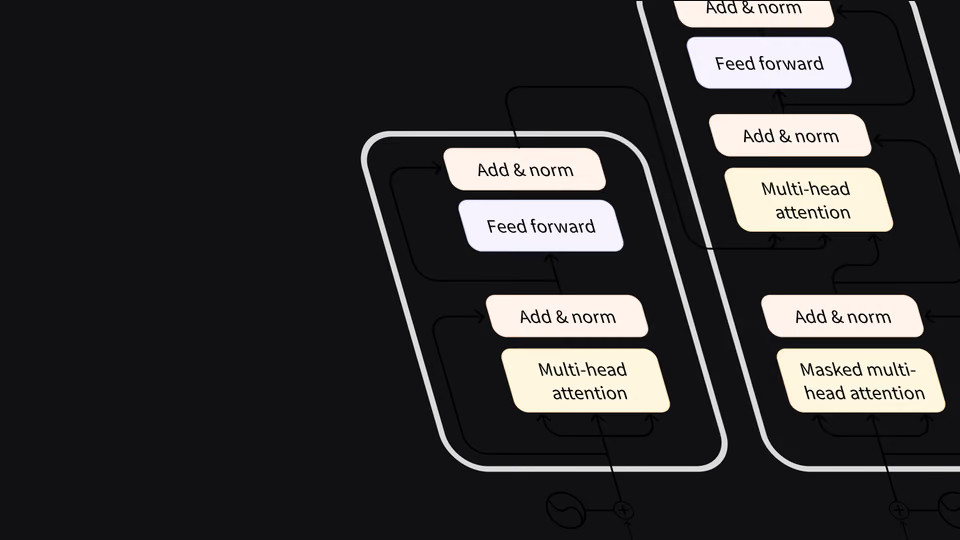
A free Hugging Face course on large language models and language processing, built around its open-source libraries: Transformers, Datasets, Tokenizers and Accelerate, plus the Hugging Face Hub. It runs from how Transformer models work to fine-tuning LLMs and training reasoning models.
Each section links its code to Google Colab or Amazon SageMaker Studio Lab, and most chapters end with a quiz. The page plans each chapter as a week of work at 6 to 8 hours, though you can take as long as you need.
Here is what the chapters cover:
- Setup, Transformer models: Set up Colab or a Python environment, then see what Transformers do and how they are built.
- Using Transformers: Load models and tokenizers yourself and turn raw text into predictions, in batches.
- Fine-tuning a pretrained model: Prepare a dataset and fine-tune BERT with the Trainer API and with your own training loop.
- Sharing models and tokenizers: Use pretrained models from the Hub, upload your own and write a model card.
- The Datasets library, The Tokenizers library: Load and reshape large datasets, build semantic search, and train tokenizers with BPE, WordPiece or Unigram.
- Classical NLP tasks, How to ask for help: Train models for tagging, translation, summarization and question answering, then learn to debug and report issues.
- Building and sharing demos, Curate high-quality datasets: Build Gradio demos for your models and label data in Argilla.
- Fine-tune Large Language Models, Build Reasoning Models: Fine-tune LLMs with chat templates, SFT and LoRA, then train a reasoning model with GRPO.
Applied learning project
You learn by running the code yourself, and the later chapters add exams and longer exercises.
- Code for every section: Open each section's notebook in Google Colab or Amazon SageMaker Studio Lab and run it as you read.
- Quizzes and exams: Answer end-of-chapter quizzes, sit the chapter 1 certification exam and take chapter 11's multiple-choice and code quizzes.
- Your own fine-tuned model: After chapter 4, fine-tune a model on a text classification problem you pick and upload it to the Hub.
- GRPO exercises: Fine-tune a model with GRPO in TRL, then repeat it with Unsloth in Colab.
By the end you can fine-tune, share and demo Transformer models, and adapt LLMs with SFT, LoRA and GRPO.
SetupChapter 1 • 1 lessonChapter details
What you’ll learn
- Set up a Google Colab notebook or a Python virtual environment for the course code.
- Install the Transformers library and create a Hugging Face account.
Lesson
- 1.1Introduction
Transformer modelsChapter 2 • 11 lessonsChapter details
What you’ll learn
- Use the pipeline() function for tasks like classification, generation, translation and summarization.
- Learn how attention and transfer learning work inside Transformer models.
- Choose between encoder, decoder and encoder-decoder models for a given task.
- Look at how LLMs generate text at inference time and where bias and limits show up.
Lessons
- 2.1Introduction
- 2.2Natural Language Processing and Large Language Models
- 2.3Transformers, what can they do?
- 2.4How do Transformers work?
- 2.5How Transformers solve tasks
- 2.6Transformer Architectures
- 2.7Quick quiz
- 2.8Inference with LLMs
- 2.9Bias and limitations
- 2.10Summary
- 2.11Certification exam
Using TransformersChapter 3 • 9 lessonsChapter details
What you’ll learn
- Rebuild the pipeline() function by hand with a tokenizer and a model.
- Load and save models, and turn text into input IDs and back again.
- Batch several sentences together with padding and attention masks.
- Compare TGI, vLLM and llama.cpp for serving LLMs in production.
Lessons
- 3.1Introduction
- 3.2Behind the pipeline
- 3.3Models
- 3.4Tokenizers
- 3.5Handling multiple sequences
- 3.6Putting it all together
- 3.7Basic usage completed!
- 3.8Optimized Inference Deployment
- 3.9End-of-chapter quiz
Fine-tuning a pretrained modelChapter 4 • 7 lessonsChapter details
What you’ll learn
- Load a dataset from the Hub and prepare it with dynamic padding and data collators.
- Fine-tune a BERT model for text classification with the Trainer API.
- Write your own PyTorch training loop and spread it across several GPUs with Accelerate.
- Read learning curves to spot problems during training.
Lessons
- 4.1Introduction
- 4.2Processing the data
- 4.3Fine-tuning a model with the Trainer API
- 4.4A full training loop
- 4.5Understanding Learning Curves
- 4.6Fine-tuning, Check!
- 4.7End-of-chapter quiz
Sharing models and tokenizersChapter 5 • 6 lessonsChapter details
What you’ll learn
- Find and load pretrained models from the Hugging Face Hub.
- Upload your own models and tokenizers to the Hub.
- Write a model card covering intended uses, limits, bias and training data.
Lessons
- 5.1The Hugging Face Hub
- 5.2Using pretrained models
- 5.3Sharing pretrained models
- 5.4Building a model card
- 5.5Part 1 completed!
- 5.6End-of-chapter quiz
The Datasets libraryChapter 6 • 8 lessonsChapter details
What you’ll learn
- Load datasets from your laptop or a remote server, not just the Hub.
- Clean and reshape data with map() and filter(), and switch to Pandas when it helps.
- Handle datasets too big for memory, then build and share one of your own.
- Build a semantic search engine with embeddings and FAISS.
Lessons
- 6.1Introduction
- 6.2What if my dataset isn't on the Hub?
- 6.3Time to slice and dice
- 6.4Big data? Datasets to the rescue!
- 6.5Creating your own dataset
- 6.6Semantic search with FAISS
- 6.7Datasets, check!
- 6.8End-of-chapter quiz
The Tokenizers libraryChapter 7 • 11 lessonsChapter details
What you’ll learn
- Train a new tokenizer on your own text, using an existing one as a template.
- Use offsets in fast tokenizers to map tokens back to the original text.
- Compare BPE, WordPiece and Unigram, then build a tokenizer piece by piece.
Lessons
- 7.1Introduction
- 7.2Training a new tokenizer from an old one
- 7.3Fast tokenizers' special powers
- 7.4Fast tokenizers in the QA pipeline
- 7.5Normalization and pre-tokenization
- 7.6Byte-Pair Encoding tokenization
- 7.7WordPiece tokenization
- 7.8Unigram tokenization
- 7.9Building a tokenizer, block by block
- 7.10Tokenizers, check!
- 7.11End-of-chapter quiz
Classical NLP tasksChapter 8 • 9 lessonsChapter details
What you’ll learn
- Train models for token classification, translation, summarization and question answering.
- Fine-tune a masked language model and train a causal language model from scratch.
- Learn what metrics like ROUGE and BLEU can and cannot tell you.
Lessons
- 8.1Introduction
- 8.2Token classification
- 8.3Fine-tuning a masked language model
- 8.4Translation
- 8.5Summarization
- 8.6Training a causal language model from scratch
- 8.7Question answering
- 8.8Mastering LLMs
- 8.9End-of-chapter quiz
How to ask for helpChapter 9 • 7 lessonsChapter details
What you’ll learn
- Read error messages and track down the cause when your code fails.
- Debug a training pipeline step by step.
- Ask clear questions on the forums and write useful bug reports.
Lessons
- 9.1Introduction
- 9.2What to do when you get an error
- 9.3Asking for help on the forums
- 9.4Debugging the training pipeline
- 9.5How to write a good issue
- 9.6Part 2 completed!
- 9.7End-of-chapter quiz
Building and sharing demosChapter 10 • 9 lessonsChapter details
What you’ll learn
- Build a web demo for a model in a few lines of Python with Gradio.
- Share demos through temporary links or host them on Hugging Face Spaces.
- Add state and authentication, and control the layout with Gradio Blocks.
Lessons
- 10.1Introduction to Gradio
- 10.2Building your first demo
- 10.3Understanding the Interface class
- 10.4Sharing demos with others
- 10.5Integrations with the Hugging Face Hub
- 10.6Advanced Interface features
- 10.7Introduction to Blocks
- 10.8Gradio, check!
- 10.9End-of-chapter quiz
Curate high-quality datasetsChapter 11 • 7 lessonsChapter details
What you’ll learn
- Set up an Argilla instance and load a dataset for a common NLP task.
- Label and review data in the Argilla interface to raise its quality.
- Export the annotated dataset and share it on the Hub.
Lessons
- 11.1Introduction to Argilla
- 11.2Set up your Argilla instance
- 11.3Load your dataset to Argilla
- 11.4Annotate your dataset
- 11.5Use your annotated dataset
- 11.6Argilla, check!
- 11.7End-of-chapter quiz
Fine-tune Large Language ModelsChapter 12 • 7 lessonsChapter details
What you’ll learn
- Format conversations with chat templates, system prompts and roles.
- Run supervised fine-tuning with SFTTrainer from TRL.
- Cut memory needs with LoRA, then measure the results with evaluation.
- Take the chapter exam, with a multiple-choice quiz and a code quiz.
Lessons
- 12.1Introduction
- 12.2Chat Templates
- 12.3Fine-Tuning with SFTTrainer
- 12.4LoRA (Low-Rank Adaptation)
- 12.5Evaluation
- 12.6Conclusion
- 12.7Exam Time!
Build Reasoning ModelsChapter 13 • 7 lessonsChapter details
What you’ll learn
- Learn how reinforcement learning is used to train LLMs to reason.
- Walk through the DeepSeek R1 paper and the GRPO method behind it.
- Train a model with GRPO in TRL, then again with Unsloth.
Lessons
- 13.1Introduction
- 13.2Reinforcement Learning on LLMs
- 13.3The Aha Moment in the DeepSeek R1 Paper
- 13.4Advanced Understanding of GRPO in DeepSeekMath
- 13.5Implementing GRPO in TRL
- 13.6Practical Exercise to Fine-tune a model with GRPO
- 13.7Practical Exercise with Unsloth
FAQs
Do I get a certificate?
Yes. No extra cost: a certificate for chapter 1 from its certification exam; the course FAQ says there is no certificate for the whole course.
What do I need before I start?
Good knowledge of Python; best taken after an intro deep learning course; no PyTorch or TensorFlow needed.
How long is it?
Each chapter is planned as one week at 6 to 8 hours; you take it at your own pace.
See the lessonsWho makes it?
Taught by Abubakar Abid, Ben Burtenshaw, Matthew Carrigan and Lysandre Debut at Hugging Face. Recaply lists 2 courses from Hugging Face.
See Hugging Face's coursesMore courses
See all
 MITMIT 6.S191: Introduction to Deep LearningBeginner · 14 sessionsFreeAndrej KarpathyNeural Networks: Zero to Hero8 videosFree
 fast.aiPractical Deep Learning for CodersBeginner · 9 lessonsFree
 Harvard University (CS50)CS50's Introduction to Artificial Intelligence with PythonIntermediate · 7 weeks · CertificateFree