What is Microsoft Clarity?
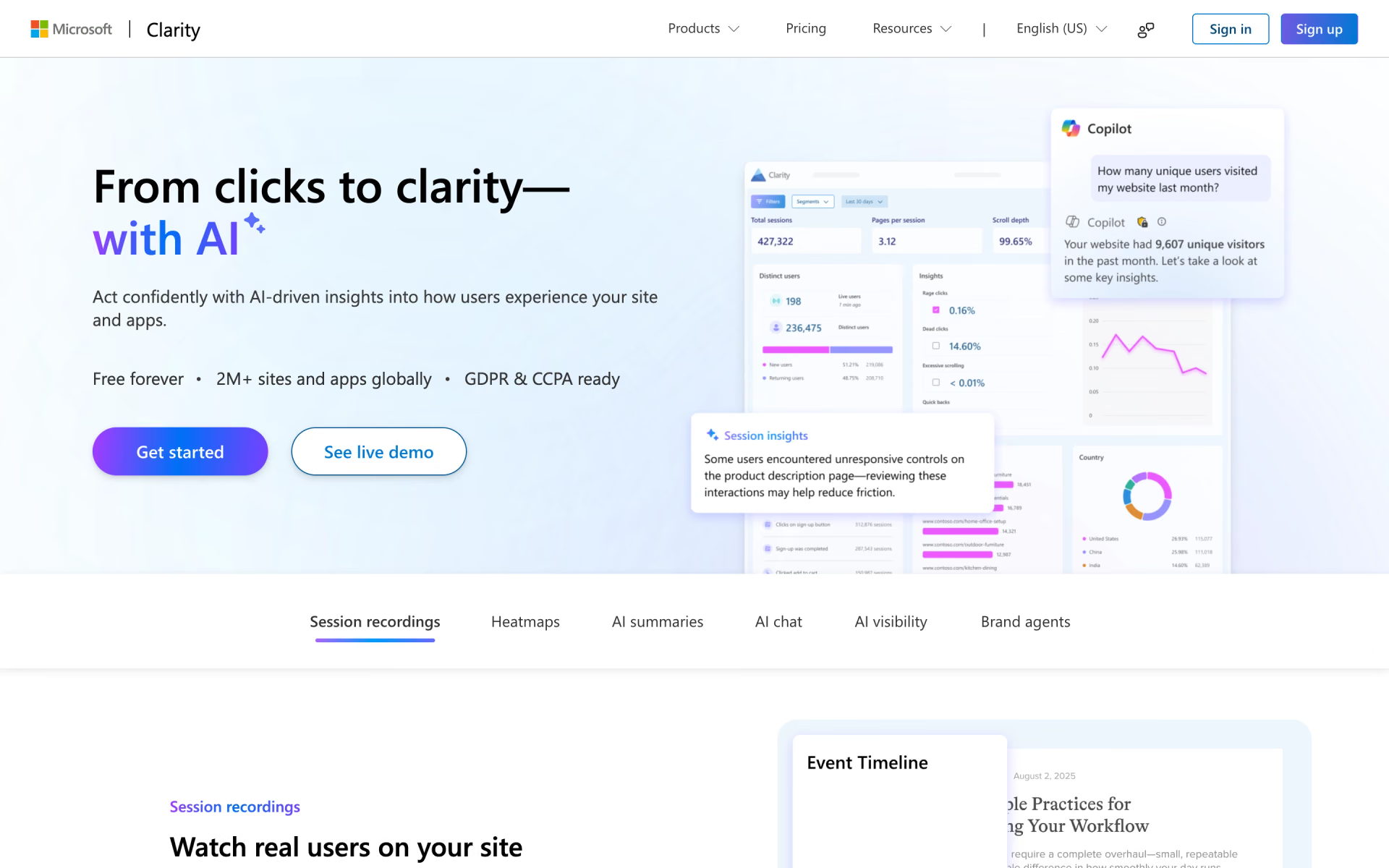
Clarity is Microsoft's behavior analytics tool. A tracking script on a website, or an SDK in a mobile app, captures what each visitor sees and does. Clarity then plays sessions back, draws click, scroll and area heatmaps, and flags rage clicks and dead clicks. Copilot in Clarity summarizes sessions and heatmaps and answers questions about the data in chat.
There is no paid tier at all: Microsoft says it uses the anonymous behavior data to improve the models behind its own products. Compared with PostHog, which bills by usage past a free allowance, Clarity costs nothing at any traffic level, but it keeps recordings for only 30 days and focuses on watching behavior rather than event analytics.
Who is Microsoft Clarity best for?
Microsoft Clarity is best for site owners and marketers who want to watch real visits and heatmaps without paying for a tool.
Small sites and blogs
Every feature is free with no traffic tier, so a small site gets the same replays and heatmaps as a large one.
Marketers fixing landing pages
Heatmaps and rage-click flags show where visitors stall, and a Google Analytics link ties that behavior to traffic numbers.
Online stores
Shopify, WooCommerce and WordPress installs are quick, and Brand agents, in beta, adds a shopping assistant measured in the same dashboard.
Mobile app teams
SDKs for Android, iOS, Flutter and React Native bring recordings and heatmaps to apps.
What's included with Microsoft Clarity?
Session recordings, heatmaps, rage and dead click insights, Copilot summaries, AI visibility reports and a Google Analytics link.
- Session recordings
- Plays back each visit with clicks, scrolls and page changes, and marks the key moments with Highlights.
- Heatmaps
- Click, scroll, area and conversion heatmaps for every page, compared across desktop, tablet and mobile.
- Insights and filters
- Flags rage clicks and dead clicks, and segments sessions with more than 40 filters.
- Copilot in Clarity
- Summarizes single sessions, groups of sessions and heatmaps, and answers questions about your data in chat.
- AI visibility
- Shows when AI answers cite your pages and, once you connect a CDN, which AI bots crawl the site.
- Google Analytics link
- Connects to Google Analytics so you can watch the sessions behind its numbers.
How much does Microsoft Clarity cost?
Microsoft Clarity is free, with every feature included and no paid plan or traffic tier; the only cap is 100,000 recorded sessions per project per day.
- No traffic limits and no paid upgrade
- Unlimited sites, heatmaps and team members
- Recordings kept 30 days
Clarity has no paid plan. The only usage cap is 100,000 recorded sessions per project per day, and a single heatmap covers up to 100,000 page views. Brand agents, the AI shopping assistant for Shopify, WooCommerce and WordPress stores, is in beta. Full pricing on clarity.microsoft.com. We checked these prices on .
How do readers rate Microsoft Clarity?
No one has rated Microsoft Clarity yet. Be the first.
Sign in to rate. One rating per account.
Microsoft Clarity pros and cons
It costs nothing and sets up in minutes, but some sessions go unrecorded, recordings last 30 days, and Microsoft also uses the data.
Pros
- It costs nothing at any traffic level, which reviewers on G2, Reddit and Hacker News call its main draw over paid replay tools.
- Setup takes minutes through a script tag, Google Tag Manager or a CMS plugin, and users describe the interface as easy enough to show clients.
- Heatmaps and rage-click flags make it simple to show a team or client where visitors get stuck.
Cons
- Some visits never show up as recordings: Reddit users report missing from a fifth to most sessions, and Microsoft's FAQ says recordings may not be available for every session.
- Recordings can be slow to load, and G2 reviewers find filtering and reporting thin next to paid tools.
- Recordings are kept for 30 days and cannot be downloaded or deleted one by one.
- Microsoft has access to the data and uses it for its own products, and visitors in the EEA, UK or Switzerland must give consent before full tracking works; privacy-minded Hacker News commenters avoid it for that reason.
How do I connect Microsoft Clarity to my AI agent?
Microsoft Clarity MCP is Microsoft Clarity's official MCP server. Add it to your agent once, then ask it to investigate visitor behaviour on your site with Clarity data.
Gives your agent your Clarity analytics, such as sessions, clicks and scroll depth, so you can ask where visitors get stuck or why they leave a page.
$ claude mcp add microsoft-clarity -- npx @microsoft/clarity-mcp-server
It runs on your computer, so Claude Code starts it when it needs it.
Microsoft Clarity's setup guide covers the sign-in.
Then ask your agent
- Runs
- On your computer
- Sign-in
- See guide
- Maker
- Microsoft Clarity
What are the best Microsoft Clarity alternatives?
Three tools on Recaply do Microsoft Clarity's job. All three are open source, so you can run them on your own server.
 PostHogOpen Source
Choose it when you also need funnels, feature flags and experiments next to session replay; its free plan covers 1M events and 5,000 recordings a month, and you can self-host it.
 OpenReplayOpen Source
Choose it when recordings must stay on your own servers or developers need console and network logs with each session; the self-hosted edition is free.
 RybbitOpen Source
Choose it when you want cookie-free traffic analytics with funnels and session replays in one dashboard; Pro costs $39 a month for 100,000 pageviews.
Questions about Microsoft Clarity
What is Microsoft Clarity?
Microsoft Clarity is Microsoft's free behavior analytics tool: it records visitor sessions and draws click and scroll heatmaps for websites and mobile apps, with Copilot summaries on top.
Who is Microsoft Clarity for?
Microsoft Clarity is best for site owners and marketers who want to watch real visits and heatmaps without paying for a tool.
Why is Microsoft Clarity free?
Microsoft says it uses the anonymous behavior data Clarity collects to improve the machine learning models behind its products and services. It says it does not sell your data or share it with third parties, which is how it can offer Clarity with no paid tier.
Does Microsoft Clarity have an MCP server?
Yes. Microsoft Clarity MCP is Microsoft Clarity's official MCP server, so agents such as Claude Code, Cursor, Codex and GitHub Copilot can investigate visitor behaviour on your site with Clarity data. It runs on your computer.
Is there an open source alternative to Microsoft Clarity?
Yes. PostHog, OpenReplay and Rybbit are open source tools that do the same job, so you can run your own.
What are the best Microsoft Clarity alternatives?
The closest alternatives on Recaply are PostHog, OpenReplay and Rybbit.
Where can I try Microsoft Clarity?
On its official website, clarity.microsoft.com.
How long does Microsoft Clarity keep recordings?
Clarity keeps recordings for 30 days. Recordings you mark as favorites, plus a random sample, are kept for up to 9 months, and heatmap data can be viewed for up to 9 months.
Does Microsoft Clarity need cookie consent?
For visitors in the EEA, UK and Switzerland, yes: sites must pass a consent signal through Clarity's consent API or a supported consent platform. Without it, Clarity cannot follow a visitor's whole journey, so recordings and funnels are limited.
Does Microsoft Clarity work in mobile apps?
Yes. Clarity has SDKs for Android, iOS, Flutter and React Native that bring session recordings and heatmaps to apps, though conversion maps are not supported in apps.
Our verdict
Microsoft Clarity is the obvious first replay and heatmap tool for most websites, since it costs nothing at any traffic level.
You get recordings, heatmaps, rage-click flags and Copilot summaries for free; the trade-offs are missed recordings, 30-day retention and data that Microsoft also uses.
- Skip it for
- Teams whose privacy rules forbid sharing visitor data with Microsoft, or who need funnels, flags and experiments in the same tool.
- Check first
- Compare Clarity's session count with your analytics for a week to see how many visits it misses.

 Litmaps
 ImgKit

 Databuddy
 Open Web Analytics

 Quant-UX

 Palform