Skip to content

DirectorySkills

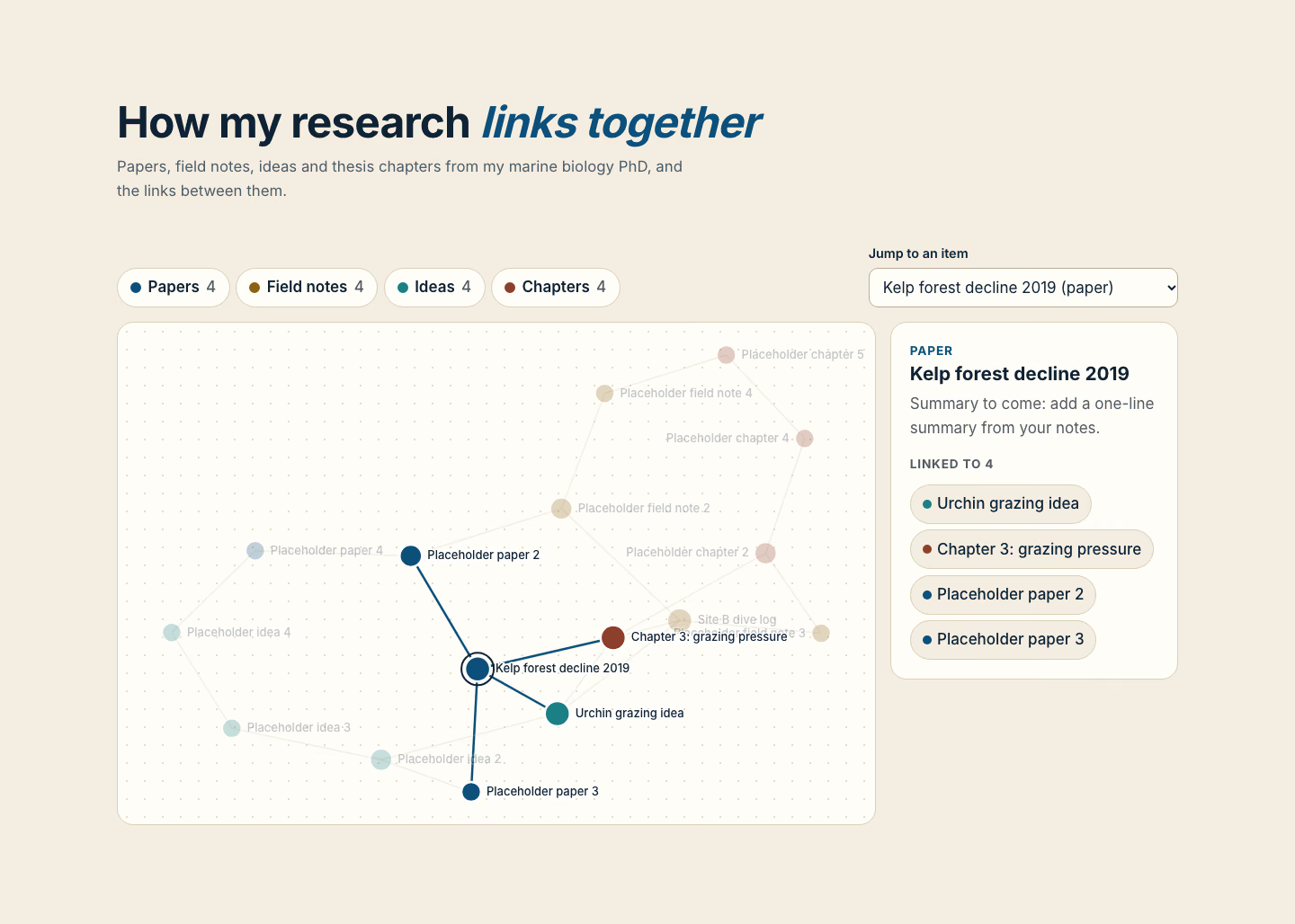
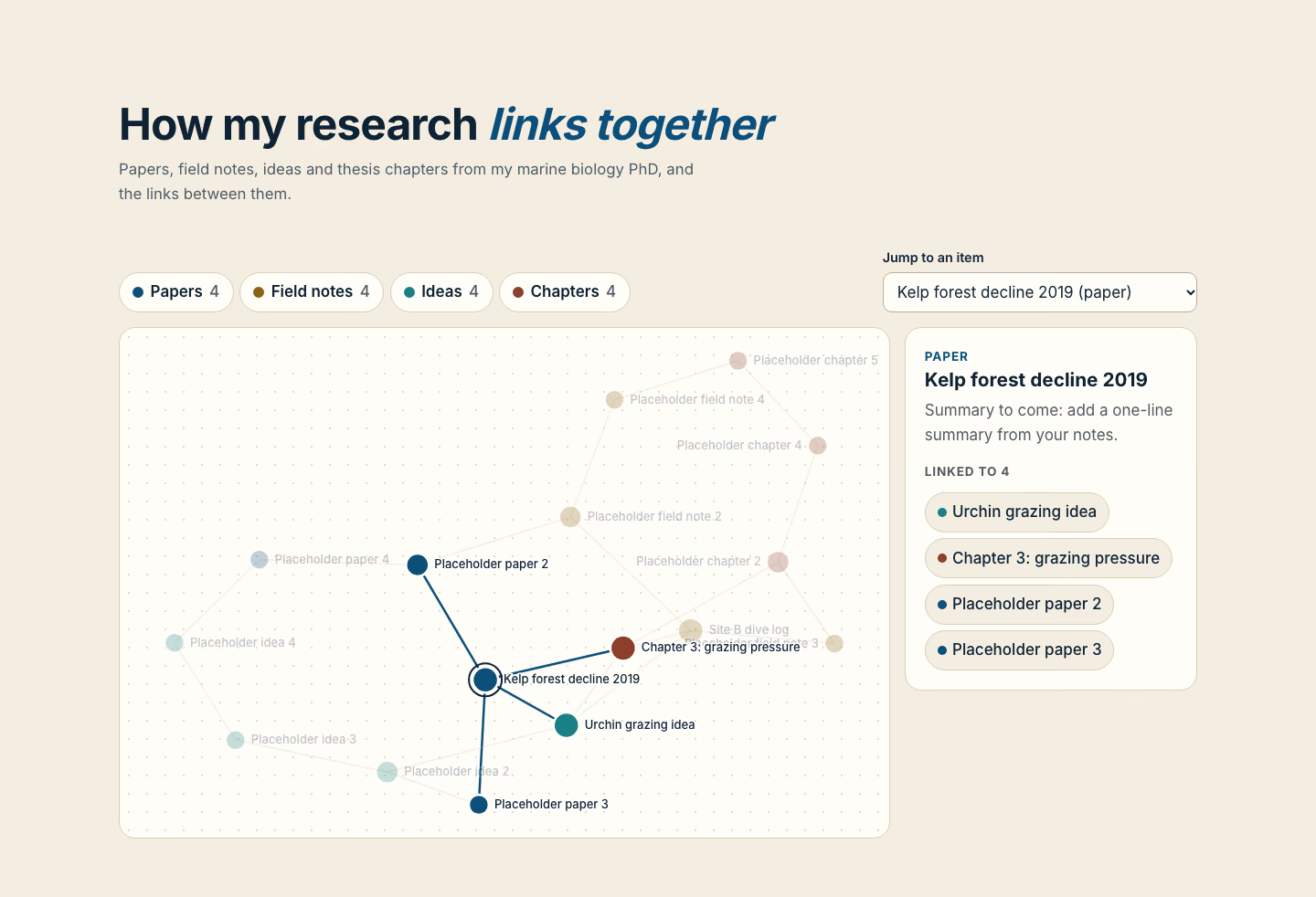
Linked items graph: 1440, made in this run
Run 1Linked items graph“Build an interactive graph of how our research notes link together. Data in brief.md.”
Runs in
  • Claude Code
  • Codex
  • Cursor
  • Gemini CLI
  • GitHub Copilot
  • OpenCode
Generates with
Your agent's model
Tested with
Claude Code 2.1.322Claude Sonnet 5.51 real run, 10 Nov
Needs
Node 20+Chrome
Licence
Recaply licence

Linked Items Graph

An interactive map of a project's docs, tasks, decisions and people: pick an item to see what it links to, filter by kind.

$9.99once, yours to keep

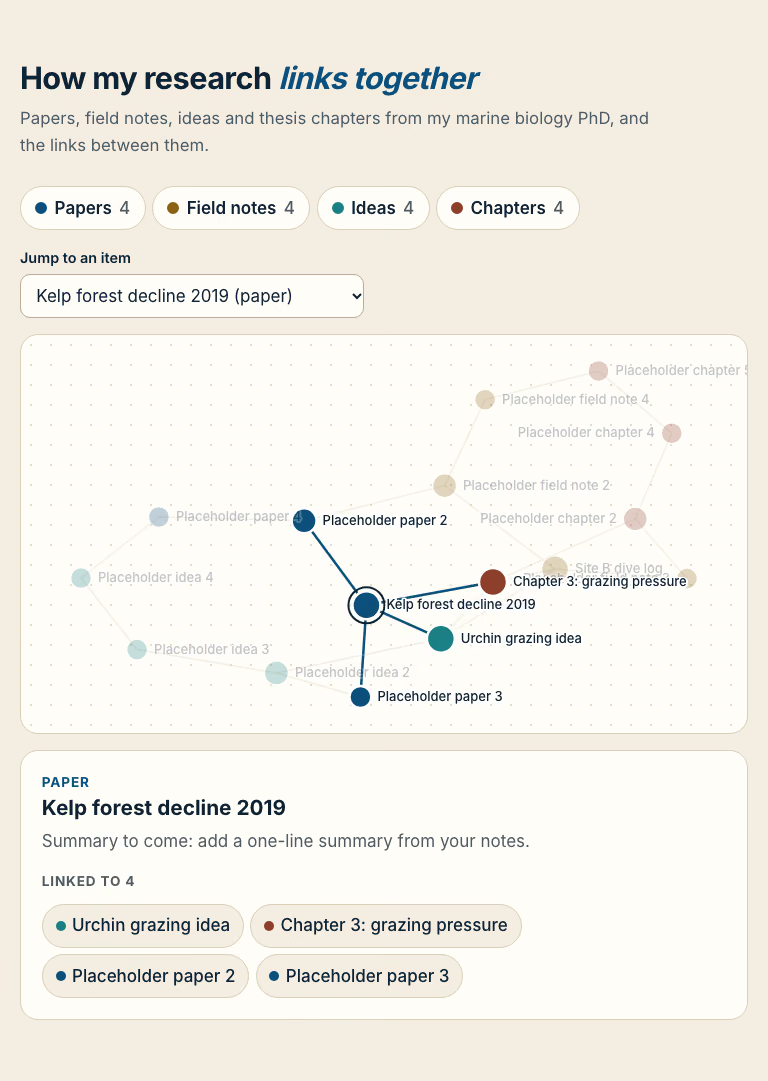
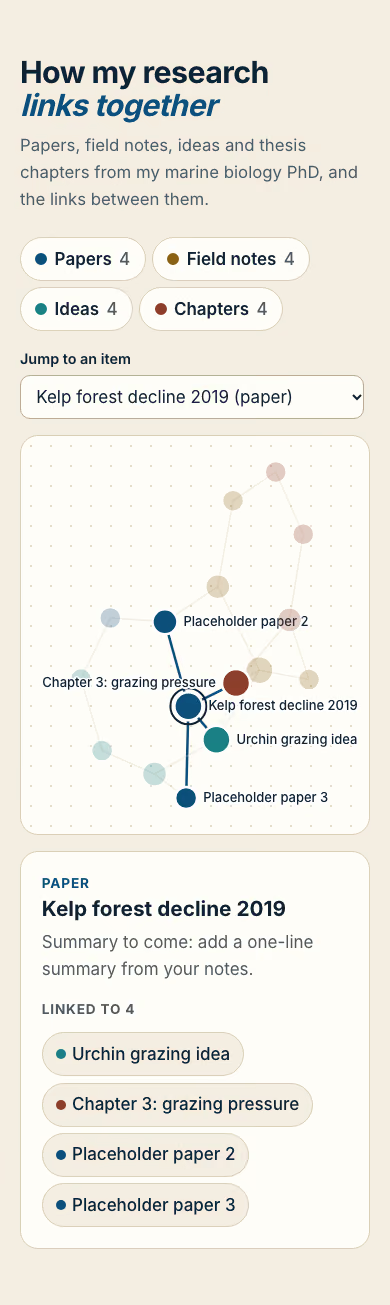
Builds an interactive knowledge graph of a project into your own project: a calm graph in a rounded box: circles for docs (blue), tasks (amber), decisions (violet) and people (green), sized by how many links they have, joined by thin lines; choosing one dims the rest, lights its links and fills a side panel with its summary and linked items; kind filters and a "Jump to" list sit above. Plain HTML, CSS and JavaScript, or matched to React, Next.js, Vue, Svelte, Astro or Tailwind when the project uses them. Comes with a working reference and a check that screenshots it at phone, tablet and desktop widths and flags sideways overflow, text under 12px, missing alt text and names, low contrast, no focus styles, motion that ignores reduced motion, leftover sample words and emoji icons. Use when a notes, wiki, project or research tool wants to show how items connect, or someone asks for a knowledge graph, network graph, mind map of links or connected notes view.

By RecaplyUpdated 12 Nov

Install Linked Items Graph

After the download, ask your agent to add it, or run the line yourself.

Read https://recaply.co/skills/linked-items-graph/install.md and follow it to install the linked-items-graph skill from linked-items-graph.zip.

Paste it into your agent. It reads our install steps, finds the ZIP you downloaded and adds the skill for you.

New to skills? How to install a skill

Similar skills

All 735 skills

Who Linked Items Graph is for

What you get

  • One HTML file with its CSS inside: no build step, no framework
  • An interactive knowledge graph of a project
  • Checked at phone and desktop widths

Good fit

  • When a notes, wiki, project or research tool wants to show how items connect

Not for

  • An app with a backend, sign-in or a database
  • Copying another company's site

About this skill

You say

Build an interactive graph of how our research notes link together. Data in brief.md.

It said back

The interactive graph is built and passes the automated check, but it runs on placeholder data. brief.md only named four items and there was no CSV in the folder, so I couldn't load your real notes or links.

Files: index.html, style.css and script.js in the project folder. They are plain HTML, CSS and JavaScript, with no packages.

Show more

What it did in run 1

  1. linked-items-graph
  2. ls -la && cat brief.md | head -200
  3. find . -type f | grep -v node_modules | head -50; S=.claude/skills/linked-items-graph; wc -c $S/reference/*; node $S/scripts/check.mjs --ready
  4. find . -type f | head -50; node .claude/skills/linked-items-graph/scripts/check.mjs --ready
  5. cd ./.claude/skills/linked-items-graph/reference && cat index.html script.js style.css
  6. mkdir -p /private/tmp/kgbuild && cd . && R=.claude/skills/linked-items-graph/reference python3 -I - <<'EOF' import json K=[("Kelp forest decline 2019","paper"),("Placeholder paper 2","paper"),("Placeholder paper 3","paper"),("Placeholder paper 4","paper"), ("Site B dive log","field"),("Placeholder field note 2","field"),("Placeholder field note 3","field"),("Placeholder field note 4","field"), ("Urchin grazing idea","idea"),("Placeholder idea 2","idea"),("Placeholder idea 3","idea"),("Placeholder idea 4","idea"), ("Chapter 3: grazing pressure","chapter"),("Placeholder chapter 2","chapter"),("Placeholder chapter 4","chapter"),("Placeholder chapter 5","chapter")] real={0,4,8,12} N=[[n,k,("Summary to come: add a one-line summary from your notes." if i in real else "Placeholder item: replace with a real note from your list of 16.")] for i,(n,k) in enumerate(K)] E=[[0,8],[0,12],[4,8],[4,12],[8,12],[1,0],[2,0],[3,1],[5,4],[6,4],[7,5],[9,8],[10,9],[11,10],[13,12],[14,13],[15,14],[2,9],[3,11],[6,13],[7,15],[1,5]] data=json.dumps({"N":N,"E":E},ensure_ascii=False) html='''<!doctype html> <html lang="en"> <head> <meta charset="utf-8"> <meta name="viewport" content="width=device-width, initial-scale=1"> <title>Research notes graph</title> <meta name="description" content="An interactive map of how PhD research notes link together: papers, field notes, ideas and chapters."> <link rel="preconnect" href="https://fonts.googleapis.com"> <link rel="preconnect" href="https://fonts.gstatic.com" crossorigin> <link rel="stylesheet" href="https://fonts.googleapis.com/css2?family=Inter:wght@400;500;600;700&display=swap"> <link rel="stylesheet" href="style.css"> </head> <body> <a class="skip" href="#main">Skip to content</a> <main id="main"> <section class="p-sec kg" id="map" aria-labelledby="map-h"> <div class="sec-head"><h2 id="map-h">How my research <em>links together</em></h2><p class="sub">Papers, field notes, ideas and thesis chapters from my marine biology PhD, and the links between them.</p></div> <div class="wrap"> <div class="kg-tools"><div class="kg-filters" role="group" aria-label="Show kinds"></div> <div class="kg-jump"><label for="kg-sel">Jump to an item</label><select id="kg-sel"><option value="">Choose…</option></select></div></div> <div class="kg-in"><div class="kg-box" aria-hidden="true"><svg class="kg-svg"></svg></div> <aside class="kg-panel" aria-live="polite" data-panel></aside></div> <!-- PLACEHOLDER DATA: only 4 items are real (names from brief.md). Replace N (name, kind, summary) and E (index pairs) with the 16 items and the CSV links. Kinds: paper, field, idea, chapter. --> <script type="application/json" id="kg-data">DATA</script> </div></section> </main> <script src="script.js" defer></script> </body> </html> '''.replace("DATA",data) open("index.html","w").write(html) EOF python3 -I - <<'EOF' import re R="./" ref=R+".claude/skills/linked-items-graph/reference/" css=open(ref+"style.css").read() css=css.replace("--bg:#EEF2F6","--bg:#F4EEE2").replace("--ink:#152030","--ink:#0E2233").replace("--muted:#536175","--muted:#4F5A63").replace("--line:#D5DDE7","--line:#D9CFBA").replace("--accent:#2563EB","--accent:#0B4F7A").replace("--em:#1D4ED8","--em:#0B4F7A") css=css.replace("--doc:#2563EB;--task:#D97706;--decision:#7C3AED;--person:#059669","--paper:#0B4F7A;--field:#8A6212;--idea:#1B7F86;--chapter:#8C3F2B") css=css.replace("radial-gradient(#DDE4EC","radial-gradient(#E6DDC9").replace("#BFCAD7","#B8AD96").replace("--surface:#FFFFFF","--surface:#FFFDF8") open(R+"style.css","w").write(css) js=open(ref+"script.js").read() js=js[js.index("// Knowledge graph"):] js=js.replace("const KIND = { doc: 'Doc', task: 'Task', decision: 'Decision', person: 'Person' };","const KIND = { paper: 'Paper', field: 'Field note', idea: 'Idea', chapter: 'Chapter' }; const PLURAL = { paper: 'Papers', field: 'Field notes', idea: 'Ideas', chapter: 'Chapters' };") setup=""" document.documentElement.classList.add('js'); document.getElementById('kg-sel').insertAdjacentHTML('beforeend', N.map(function (n, i) { return '<option value="' + i + '">' + n[0].replace(/&/g, '&amp;') + ' (' + KIND[n[1]].toLowerCase() + ')</option>'; }).join('')); document.querySelector('.kg-filters').innerHTML = Object.keys(KIND).map(function (k) { return '<button type="button" class="kg-f" aria-pressed="true" data-kind="' + k + '" style="--c:var(--' + k + ')"><i aria-hidden="true"></i>' + PLURAL[k] + ' <span>' + N.filter(function (n) { return n[1] === k; }).length + '</span></button>'; }).join(''); """ js=js.replace("const deg =",setup+"const deg =",1) js=js.replace("choose(0);","choose(0);") open(R+"script.js","w").write(js) EOF cd $PWD; node .claude/skills/linked-items-graph/scripts/check.mjs index.html --out check 2>&1 | tail -30
  7. ./index.html
  8. cd . && R=.claude/skills/linked-items-graph/reference && sed -e 's/#EEF2F6/#F4EEE2/; s/--surface:#FFFFFF/--surface:#FFFDF8/; s/#152030/#0E2233/; s/--muted:#536175/--muted:#4F5A63/; s/--line:#D5DDE7/--line:#D9CFBA/; s/--accent:#2563EB/--accent:#0B4F7A/; s/--em:#1D4ED8/--em:#0B4F7A/; s/--doc:#2563EB;--task:#D97706;--decision:#7C3AED;--person:#059669/--paper:#0B4F7A;--field:#8A6212;--idea:#1B7F86;--chapter:#8C3F2B/; s/radial-gradient(#DDE4EC/radial-gradient(#E6DDC9/; s/#BFCAD7/#B8AD96/' $R/style.css > style.css && grep -c paper style.css sed -n '/^\/\/ Knowledge graph/,$p' $R/script.js > script.js && wc -l script.js
  9. cd . && sed -e 's/#EEF2F6/#F4EEE2/; s/--surface:#FFFFFF/--surface:#FFFDF8/; s/#152030/#0E2233/; s/--muted:#536175/--muted:#4F5A63/; s/--line:#D5DDE7/--line:#D9CFBA/; s/--accent:#2563EB/--accent:#0B4F7A/; s/--em:#1D4ED8/--em:#0B4F7A/; s/--doc:#2563EB;--task:#D97706;--decision:#7C3AED;--person:#059669/--paper:#0B4F7A;--field:#8A6212;--idea:#1B7F86;--chapter:#8C3F2B/; s/radial-gradient(#DDE4EC/radial-gradient(#E6DDC9/; s/#BFCAD7/#B8AD96/' .claude/skills/linked-items-graph/reference/style.css > style.css && grep -c paper style.css; sed -n '/^\/\/ Knowledge graph/,$p' .claude/skills/linked-items-graph/reference/script.js > script.js; wc -l script.js
  10. ./style.css
  11. ./script.js
  12. node .claude/skills/linked-items-graph/scripts/check.mjs index.html --out check 2>&1 | tail -30
  13. node ./.claude/skills/linked-items-graph/scripts/check.mjs ./index.html --out ./check 2>&1 | tail -30
  14. ./check/1440.png
  15. ./check/390.png
  16. Done

10 Nov 2026 · Claude Code 2.1.322 with Claude Sonnet 5.5 · 1 min 38 s · $0.31 of API use

Questions

Is Linked Items Graph free?

No. Linked Items Graph costs $9.99 once and stays in your Recaply account, or it comes with the Recaply plan ($19.99 a month), which opens every premium skill and prompt.

Which agents can use Linked Items Graph?

Claude Code, Codex, Cursor, Gemini CLI, GitHub Copilot and OpenCode.

What do I get when I buy Linked Items Graph?

A ZIP of the whole skill folder (34 KB): the SKILL.md your agent follows and its 6 other files, the references, templates and scripts it uses. You download it from this page whenever you need it, and install it in Claude Code, Codex, Cursor, Gemini CLI, GitHub Copilot and OpenCode. The Recaply plan opens it too, with every other premium skill and prompt.

How do I install Linked Items Graph?

Buy it, then download the ZIP from this page. For Claude Code, unzip it into .claude/skills/ in your project. For Codex, Cursor and Gemini CLI, unzip it and run npx skills add ./linked-items-graph with your agent's flag.

What do I get from Linked Items Graph?

One HTML file with its CSS inside: no build step, no framework. An interactive knowledge graph of a project. Checked at phone and desktop widths.

What does Linked Items Graph need?

Node 20+ and Chrome, and no API key. Each use costs nothing beyond your agent.

How big is Linked Items Graph?

7 files, about 21,857 tokens in all. The SKILL.md is about 2,190 tokens, and your agent reads it only when the job fits.

What does a run cost?

Our 1 runs took 1 min 38 s to 1 min 38 s and $0.31 to $0.31 of API use each, in Claude Code with claude-sonnet-5-5. On a Claude plan, a run counts toward your usage instead.

Do I have to name Linked Items Graph to use it?

Type /linked-items-graph first to make sure it loads. Without it, Claude Code may judge a small job simple enough to do without the skill.