 Video
Research Report Hero


 Editorial hero for a report
 Claude CodeCodexCursor
 Gemini CLI
 GitHub Copilot
 OpenCode
A day timeline of sessions as bars across four rooms, with a "now" line, a type key and a detail panel for the chosen bar.
$9.99once, yours to keep
Payments are non-refundable. See our Terms of service.
Yours. Download it, then add it to your agent.
Builds an event bar chart (timeline of sessions across lanes) into your own project: a cream panel: time from 9:00 to 18:00 across the top, one lane per room down the side, each session a rounded bar coloured by type (talk, workshop, panel, break) with its title inside; a coral line marks now (13:40); choosing a bar fills a detail panel below. Plain HTML, CSS and JavaScript, or matched to React, Next.js, Vue, Svelte, Astro or Tailwind when the project uses them. Comes with a working reference and a check that screenshots it at phone, tablet and desktop widths and flags sideways overflow, text under 12px, missing alt text and names, low contrast, no focus styles, motion that ignores reduced motion, leftover sample words and emoji icons. Use when a conference, school, venue, hospital rota or deploy log needs to show events as bars over time across rooms, people or systems, or someone asks for a timeline, Gantt-style bars or a schedule chart.
By RecaplyUpdated 12 Nov
Video
Editorial hero for a report
 Video1 view, 0 downloads
Lavender page for an AI app
 Video
Product page for headphones
 Video
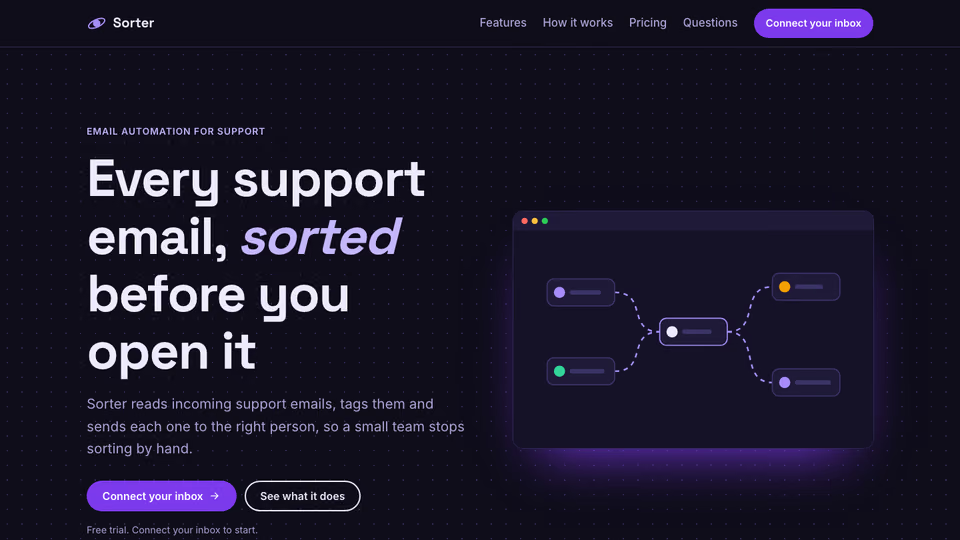
Page with a node-flow hero
You say
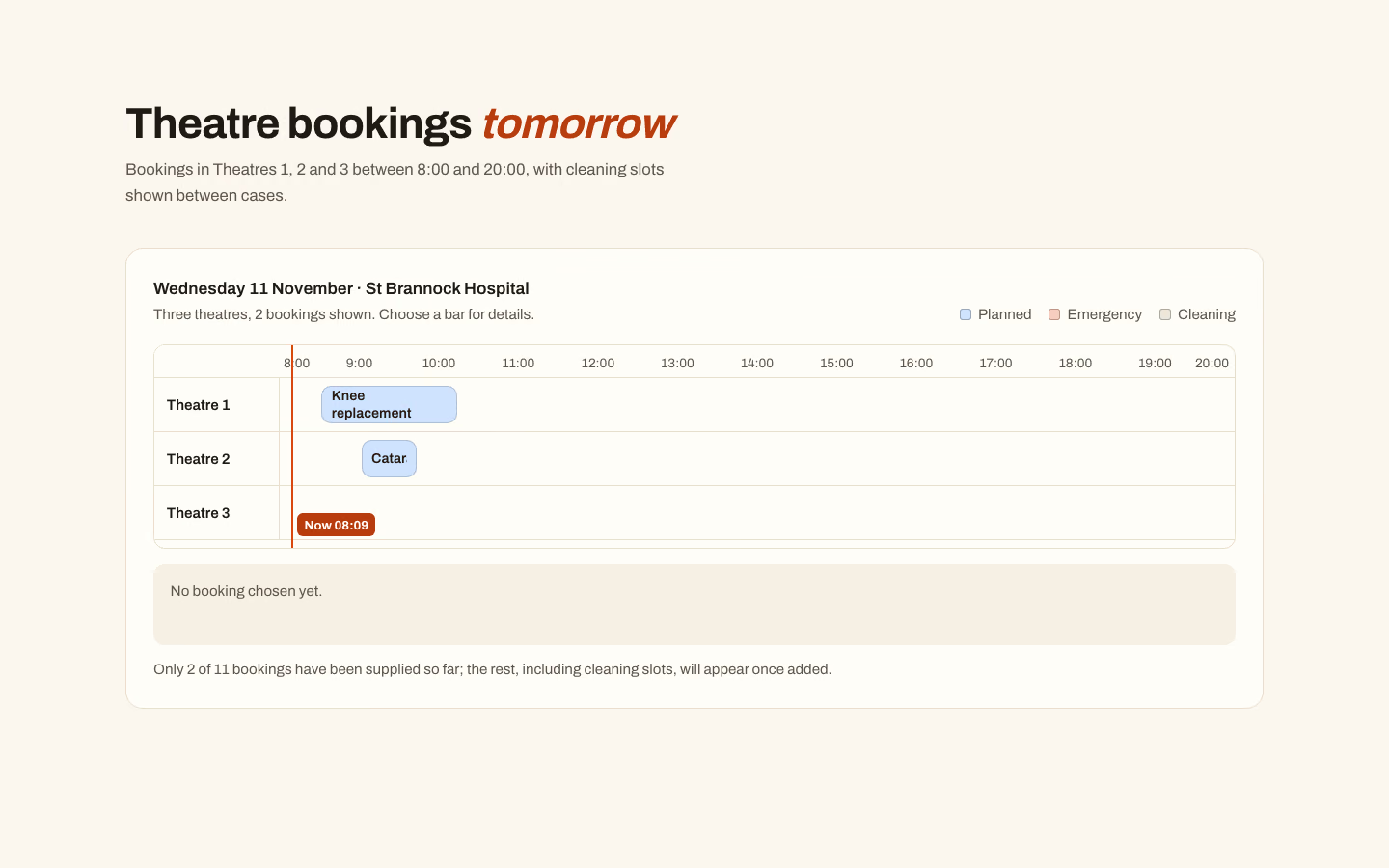
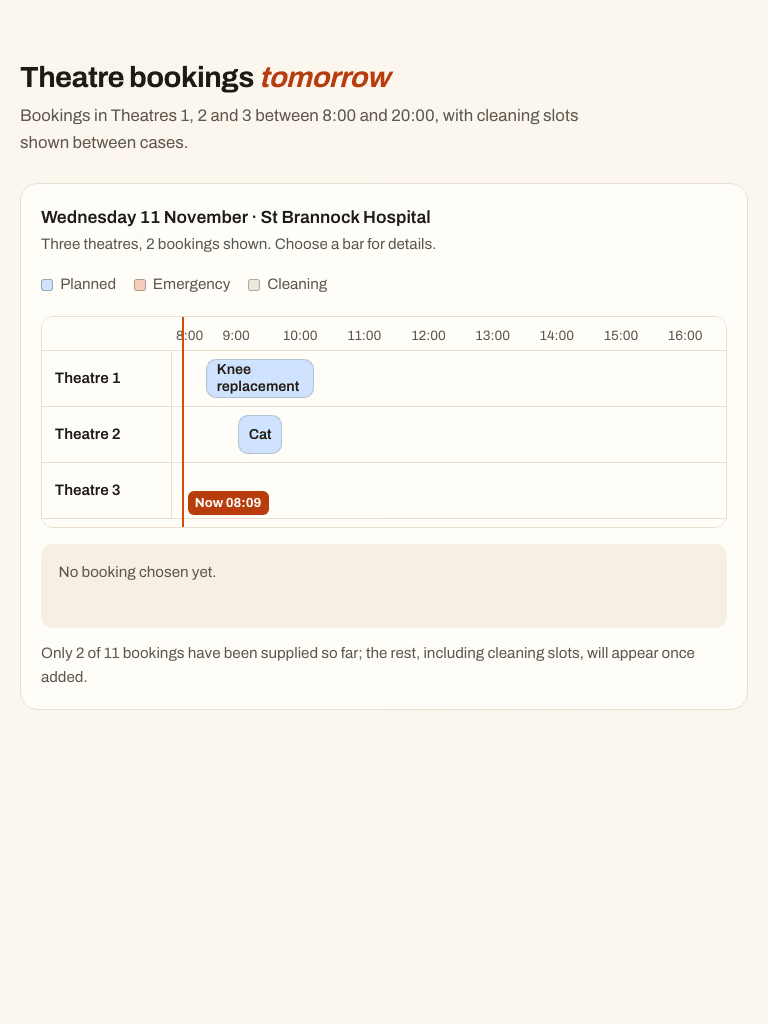
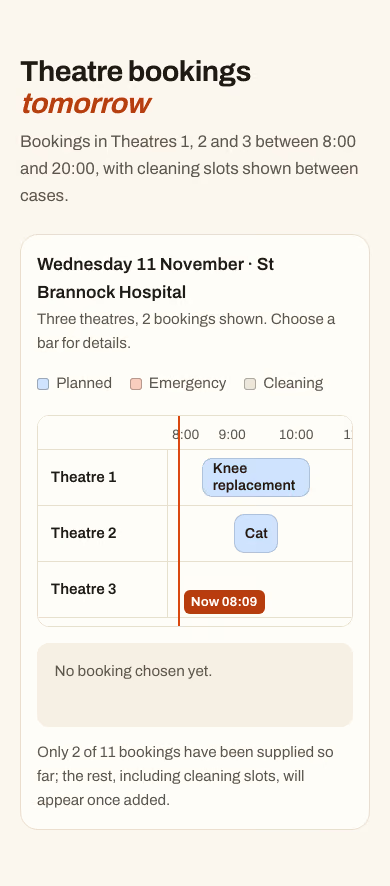
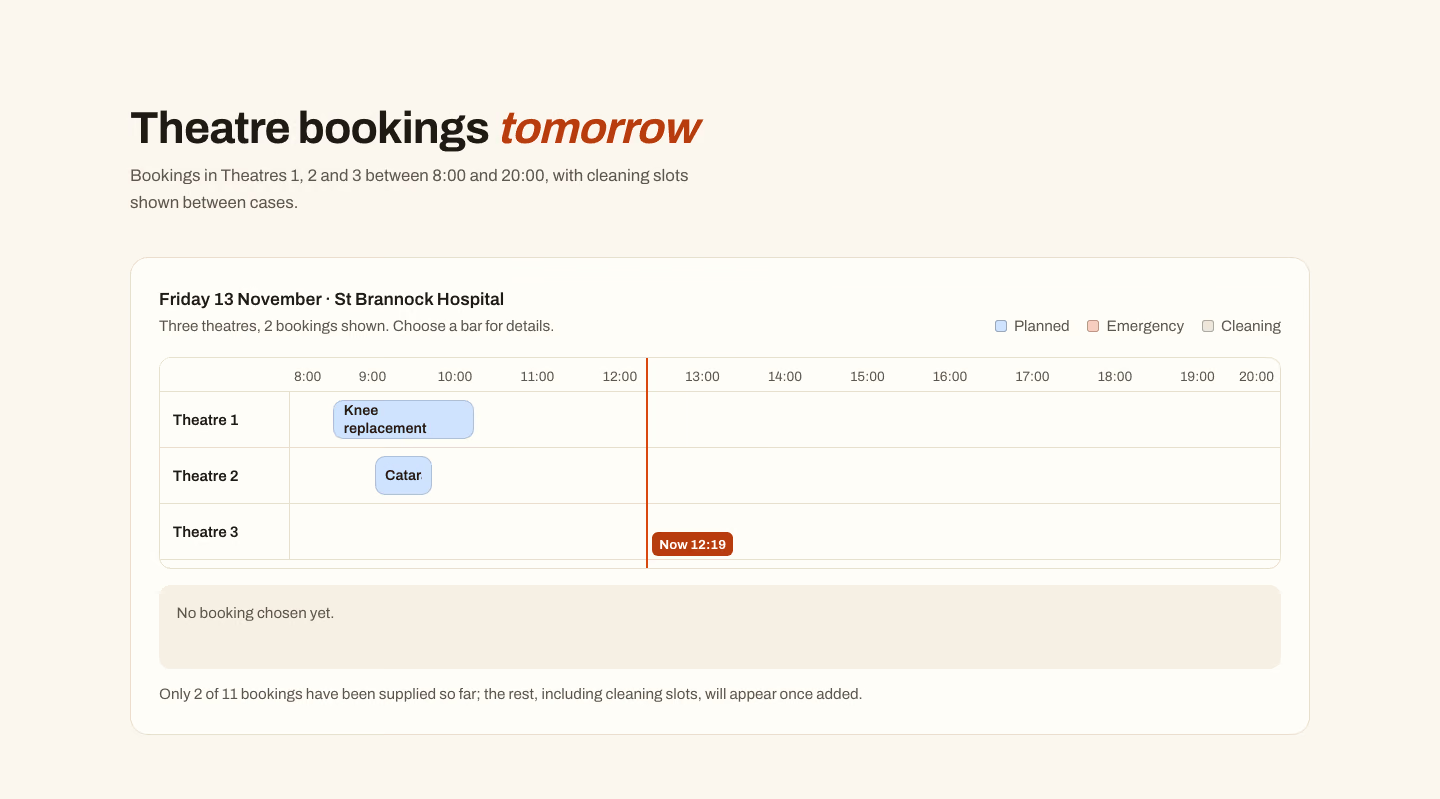
Show our three surgery theatres' bookings for tomorrow as timeline bars. Data in brief.md.
It said back
The chart is built and passes the check at 390, 768 and 1440px, but it shows only 2 of your 11 bookings. brief.md gives only the knee replacement (Theatre 1, 08:30–10:15, Mr Shah) and the cataract (Theatre 2, 09:00–09:45, Ms Okafor). I haven't invented the other nine or the cleaning slots, and the page carries a visible note saying so.
BOOKINGS list at the top of script.js, with room, start and end time, type (planned, emergency or cleaning), title and surgeon. The bars, lane layout and counts update from that list.check/768.png, and I did not re-view the 1440 screenshot after the final fixes.What it did in run 1
Three theatres, ${BOOKINGS.length} bookings shown. Choose a bar for details.; if (BOOKINGS.length < EXPECTED) document.querySelector('[data-note]').textContent = Only ${BOOKINGS.length} of ${EXPECTED} bookings have been supplied so far; the rest, including cleaning slots, will appear once added.; const grid = document.querySelector('[data-grid]'); const ruler = el('div', 'et-ruler'); ruler.setAttribute('aria-hidden', 'true'); ruler.append(el('span', 'et-corner')); const hours = el('div', 'et-hours'); for (let h = START; h <= END; h++) hours.append(el('span', null, h + ':00')), hours.lastChild.style.left = pct(h * 60) + '%'; ruler.append(hours); grid.append(ruler); const bars = []; for (const room of ROOMS) { const lane = el('div', 'et-lane'); lane.append(el('p', 'et-room', esc(room))); const track = el('ul', 'et-track'); track.setAttribute('aria-label', room); BOOKINGS.filter((b) => b.room === room).sort((a, b) => mins(a.start) - mins(b.start)).forEach((b) => { const li = el('li'); li.style.left = pct(mins(b.start)) + '%'; li.style.width = calc(${pct(mins(b.end)) - pct(mins(b.start))}% - 4px); const label = b.surgeon ? ${b.title} (${b.surgeon}) : b.title; const btn = el('button', 'et-bar ' + b.type, <span>${esc(label)}</span><span class="sr-only">, ${TYPES[b.type]}, ${b.start} to ${b.end}, ${esc(b.room)}</span>); btn.type = 'button'; btn.setAttribute('aria-pressed', 'false'); btn.title = ${label}, ${b.start}–${b.end}; btn.dataset.i = BOOKINGS.indexOf(b); li.append(btn); track.append(li); bars.push(btn); }); lane.append(track); grid.append(lane); } const det = document.querySelector('[data-detail]'); bars.forEach((b) => b.addEventListener('click', () => { bars.forEach((x) => x.setAttribute('aria-pressed', String(x === b))); const s = BOOKINGS[b.dataset.i]; det.innerHTML = <h3>${esc(s.title)}</h3><p>${TYPES[s.type]} · ${s.start} to ${s.end} · ${esc(s.room)}${s.surgeon ? ' · ' + esc(s.surgeon) : ''}</p>; })); // Current time line (position by time of day) const fr = document.querySelector('.et-frame'); const d = new Date(), nm = d.getHours() * 60 + d.getMinutes(); if (nm >= START * 60 && nm <= END * 60) { const now = el('div', 'et-now', <span>Now ${String(d.getHours()).padStart(2, '0')}:${String(d.getMinutes()).padStart(2, '0')}</span>); now.setAttribute('aria-hidden', 'true'); now.style.left = calc(130px + (100% - 130px) * ${pct(nm) / 100}); grid.append(now); if (fr.scrollWidth > fr.clientWidth + 2) fr.scrollTo({ left: Math.max(0, now.offsetLeft - fr.clientWidth / 2), behavior: 'instant' }); } EOF node .claude/skills/event-timeline-chart/scripts/check.mjs index.html --out check 2>&1 | tail -30${b.title} (${b.surgeon}) : b.title;/const label = b.title;/' script.js && sed -i '' 's/.et-now span{position:absolute;top:4px;/.et-now span{position:absolute;bottom:12px;/' style.css && node .claude/skills/event-timeline-chart/scripts/check.mjs index.html --out check 2>&1 | tail -5No. Event Timeline Chart costs $9.99 once and stays in your Recaply account, or it comes with the Recaply plan ($19.99 a month), which opens every premium skill and prompt.
Claude Code, Codex, Cursor, Gemini CLI, GitHub Copilot and OpenCode.
A ZIP of the whole skill folder (35 KB): the SKILL.md your agent follows and its 6 other files, the references, templates and scripts it uses. You download it from this page whenever you need it, and install it in Claude Code, Codex, Cursor, Gemini CLI, GitHub Copilot and OpenCode. The Recaply plan opens it too, with every other premium skill and prompt.
Buy it, then download the ZIP from this page. For Claude Code, unzip it into .claude/skills/ in your project. For Codex, Cursor and Gemini CLI, unzip it and run npx skills add ./event-timeline-chart with your agent's flag.
One HTML file with its CSS inside: no build step, no framework. An event bar chart (timeline of sessions across lanes). Checked at phone and desktop widths.
Node 20+ and Chrome, and no API key. Each use costs nothing beyond your agent.
7 files, about 23,977 tokens in all. The SKILL.md is about 2,256 tokens, and your agent reads it only when the job fits.
Our 1 runs took 1 min 51 s to 1 min 51 s and $0.34 to $0.34 of API use each, in Claude Code with claude-sonnet-5-5. On a Claude plan, a run counts toward your usage instead.
Type /event-timeline-chart first to make sure it loads. Without it, Claude Code may judge a small job simple enough to do without the skill.