 Anthropic
Building with the Claude API
Build applications on the Claude API through video lessons, exercises and a final assessment, for developers who know Python and JSON.
Taught by AnthropicFreeCertificateVerified
- From Accessing Claude with the API to Agents and workflows
- 10 sections
- Assistant for long documents and code
 Claude
- Before you startProficiency in Python and basic knowledge of handling JSON data (plus an Anthropic API key).
- Any background
- 67 lessons and 8 quizzes, about 9 hours
- Self-paced
What you’ll learn
- Call Claude through the API with multi-turn chats, system prompts, temperature, streaming and structured output.
- Test prompts with an evaluation workflow, using generated test sets and model-based or code-based grading.
- Give Claude tools, including web search and a text edit tool, and handle tool results over many turns.
- Build a RAG pipeline with chunking, embeddings and BM25 search, and use extended thinking, images, PDFs, citations and prompt caching.
- Build MCP servers and clients, and design agents and workflows such as chaining, routing and parallel runs.
Skills you’ll gain
Tools you'll learn
Details to know
- Certificate of completionWhen you pass the final assessment
- Assessments8 quizzes
- Taught in EnglishNo other languages listed
- VerifiedNov 2026
Lessons
10 sections · 67 lessons and 8 quizzes, about 9 hours
Building with the Claude API is Anthropic's video course for developers who want to put Claude inside their own apps. You should be comfortable with Python and with handling JSON, and you need an Anthropic API key.
It runs in 10 sections and 67 lessons, about 9 hours, from a first API request through prompt testing, tool use, RAG, MCP and agent workflows. Seven sections end in a quiz, a final assessment closes the course, and you write code in two projects.
Across its 10 sections, you will:
- Accessing Claude with the API: Send requests, hold multi-turn chats, and shape replies with system prompts, temperature, streaming and structured data.
- Prompt engineering techniques: Test prompts with an eval workflow and graders, then sharpen them with clear wording, XML tags and examples.
- Tool use with Claude: Give Claude your own tools, return their results over many turns, and use the text edit and web search tools.
- RAG and Agentic Search: Chunk and embed documents, add BM25 search, and build a multi-index retrieval pipeline.
- Features of Claude: Use extended thinking, images, PDFs, citations, prompt caching, code execution and the Files API.
- Model Context Protocol: Build an MCP server with tools, resources and prompts, and a client that uses them.
- Anthropic apps - Claude Code and computer use: Set up Claude Code, extend it with MCP servers, and see computer use at work.
- Agents and workflows: Build chained, routed and parallel workflows, and learn when an agent is the better choice.
Applied learning project
Alongside the lessons, you write code in two projects, and quizzes check each topic.
- Reminder project: Build custom tools so Claude can work out future dates and set reminders.
- MCP chatbot project: Build a command-line chatbot with your own MCP client and a server that reads and edits documents.
- Quizzes: Take a quiz after seven sections and a final assessment at the end.
By the end, you can build a Claude app that calls tools, searches your documents, connects over MCP and runs agent workflows.
Accessing Claude with the APISection 1 • 9 lessonsSection details
What you’ll learn
- Get an API key and send your first request to Claude.
- Hold multi-turn conversations and steer replies with system prompts and temperature.
- Stream responses and get structured data back.
Lessons
- 1.1Accessing the API
- 1.2Getting an API key
- 1.3Making a request
- 1.4Multi-Turn conversations
- 1.5System prompts
- 1.6Temperature
- 1.7Response streaming
- 1.8Structured data
- 1.9Quiz on accessing Claude with the API
Prompt evaluationSection 2 • 6 lessonsSection details
What you’ll learn
- Follow a typical eval workflow, from generating a test dataset to running the eval.
- Score outputs with a model-based grader and a code-based grader.
- Check what you learned in the section quiz.
Lessons
- 2.1A typical eval workflow
- 2.2Generating test datasets
- 2.3Running the eval
- 2.4Model based grading
- 2.5Code based grading
- 2.6Quiz on prompt evaluation
Prompt engineering techniquesSection 3 • 6 lessonsSection details
What you’ll learn
- Write prompts that are clear, direct and specific.
- Structure prompts with XML tags and add examples to guide the output.
- Check the techniques in the section quiz.
Lessons
- 3.1Prompt engineering
- 3.2Being clear and direct
- 3.3Being specific
- 3.4Structure with XML tags
- 3.5Providing examples
- 3.6Quiz on prompt engineering techniques
Tool use with ClaudeSection 4 • 13 lessonsSection details
What you’ll learn
- Write tool functions and schemas, and send tool results back to Claude.
- Handle conversations that run over many turns and use several tools.
- Try fine grained tool calling and the built-in text edit and web search tools.
- Build a reminder project with custom tools as you go.
Lessons
- 4.1Introducing tool use
- 4.2Project overview
- 4.3Tool functions
- 4.4Tool schemas
- 4.5Handling message blocks
- 4.6Sending tool results
- 4.7Multi-turn conversations with tools
- 4.8Implementing multiple turns
- 4.9Using multiple tools
- 4.10Fine grained tool calling
- 4.11The text edit tool
- 4.12The web search tool
- 4.13Quiz on tool use with Claude
RAG and Agentic SearchSection 5 • 7 lessonsSection details
What you’ll learn
- Split documents into chunks and turn them into text embeddings.
- Build and run the full RAG flow, then add BM25 lexical search.
- Combine several indexes into a multi-index RAG pipeline.
Lessons
- 5.1Introducing Retrieval Augmented Generation
- 5.2Text chunking strategies
- 5.3Text embeddings
- 5.4The full RAG flow
- 5.5Implementing the RAG flow
- 5.6BM25 lexical search
- 5.7A Multi-Index RAG pipeline
Features of ClaudeSection 6 • 9 lessonsSection details
What you’ll learn
- Turn on extended thinking and send images and PDFs to Claude.
- Get answers with citations that point back to your source documents.
- Use prompt caching to cut latency, and learn the rules for when it applies.
- Run code with the code execution tool and the Files API.
Lessons
- 6.1Extended thinking
- 6.2Image support
- 6.3PDF support
- 6.4Citations
- 6.5Prompt caching
- 6.6Rules of prompt caching
- 6.7Prompt caching in action
- 6.8Code execution and the Files API
- 6.9Quiz on features of Claude
Model Context ProtocolSection 7 • 11 lessonsSection details
What you’ll learn
- Learn what an MCP client does and what an MCP server does.
- Define tools, resources and prompts on a server and test it in the inspector.
- Build a client that uses them, as part of a document chatbot project.
Lessons
- 7.1Introducing MCP
- 7.2MCP clients
- 7.3Project setup
- 7.4Defining tools with MCP
- 7.5The server inspector
- 7.6Implementing a client
- 7.7Defining resources
- 7.8Accessing resources
- 7.9Defining prompts
- 7.10Prompts in the client
- 7.11Quiz on Model Context Protocol
Anthropic apps - Claude Code and computer useSection 8 • 4 lessonsSection details
What you’ll learn
- Set up Claude Code and watch it handle development tasks.
- Add MCP servers to extend what Claude Code can do.
- See how computer use lets Claude work a user interface.
Lessons
- 8.1Anthropic apps: Claude Code and computer use
- 8.2Claude Code setup
- 8.3Claude Code in action
- 8.4Adding MCP servers to Claude Code
Agents and workflowsSection 9 • 7 lessonsSection details
What you’ll learn
- Build parallel, chained and routed workflows.
- Give agents tools and let them inspect their environment.
- Decide when a fixed workflow suits a job better than an agent.
Lessons
- 9.1Parallelization workflows
- 9.2Chaining workflows
- 9.3Routing workflows
- 9.4Agents and tools
- 9.5Environment inspection
- 9.6Workflows vs agents
- 9.7Quiz on Agents and Workflows
Final assessmentSection 10 • QuizSection details
What you’ll learn
- Test what you learned across the whole course in one final assessment.
Lesson
- 10.1Final Assessment
FAQs
Do I get a certificate?
Yes. Anthropic gives a completion badge you can share when you pass the final assessment.
What do I need before I start?
Proficiency in Python and basic knowledge of handling JSON data (plus an Anthropic API key).
How long is it?
67 lessons and 8 quizzes, about 9 hours; you take it at your own pace.
See the lessonsWho makes it?
Anthropic makes it, on academy.claude.com. Recaply lists 3 courses from Anthropic.
See Anthropic's coursesMore courses
See all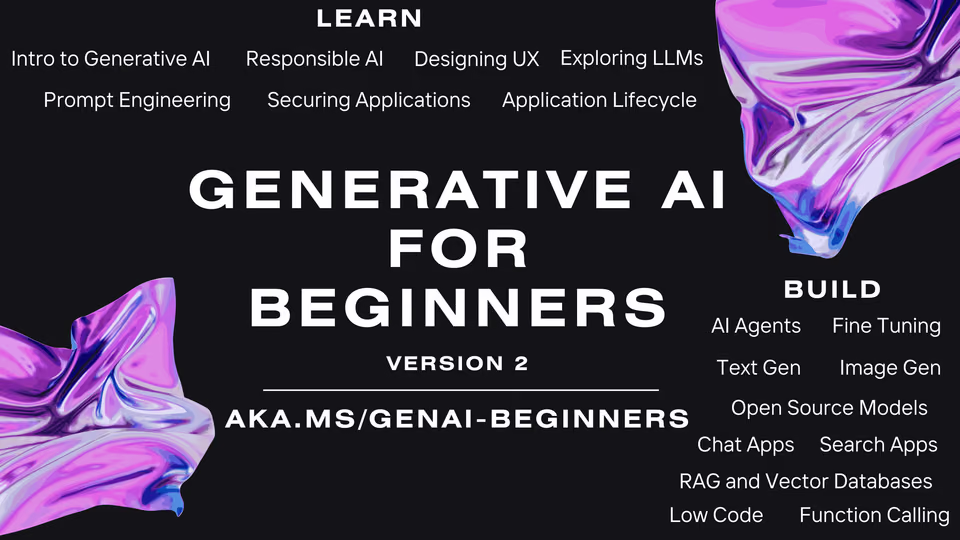
 MicrosoftGenerative AI for BeginnersBeginner · 22 lessonsFree
 OpenAI Platform
 HumanLayer12-Factor AgentsIntermediate · 14 chaptersFree
 AnthropicClaude Code in ActionIntermediate · 5 sections · CertificateFree
 Claude Code

 Hugging FaceHugging Face AI Agents CourseAll levels · 12 units · CertificateFree
 Smolagents