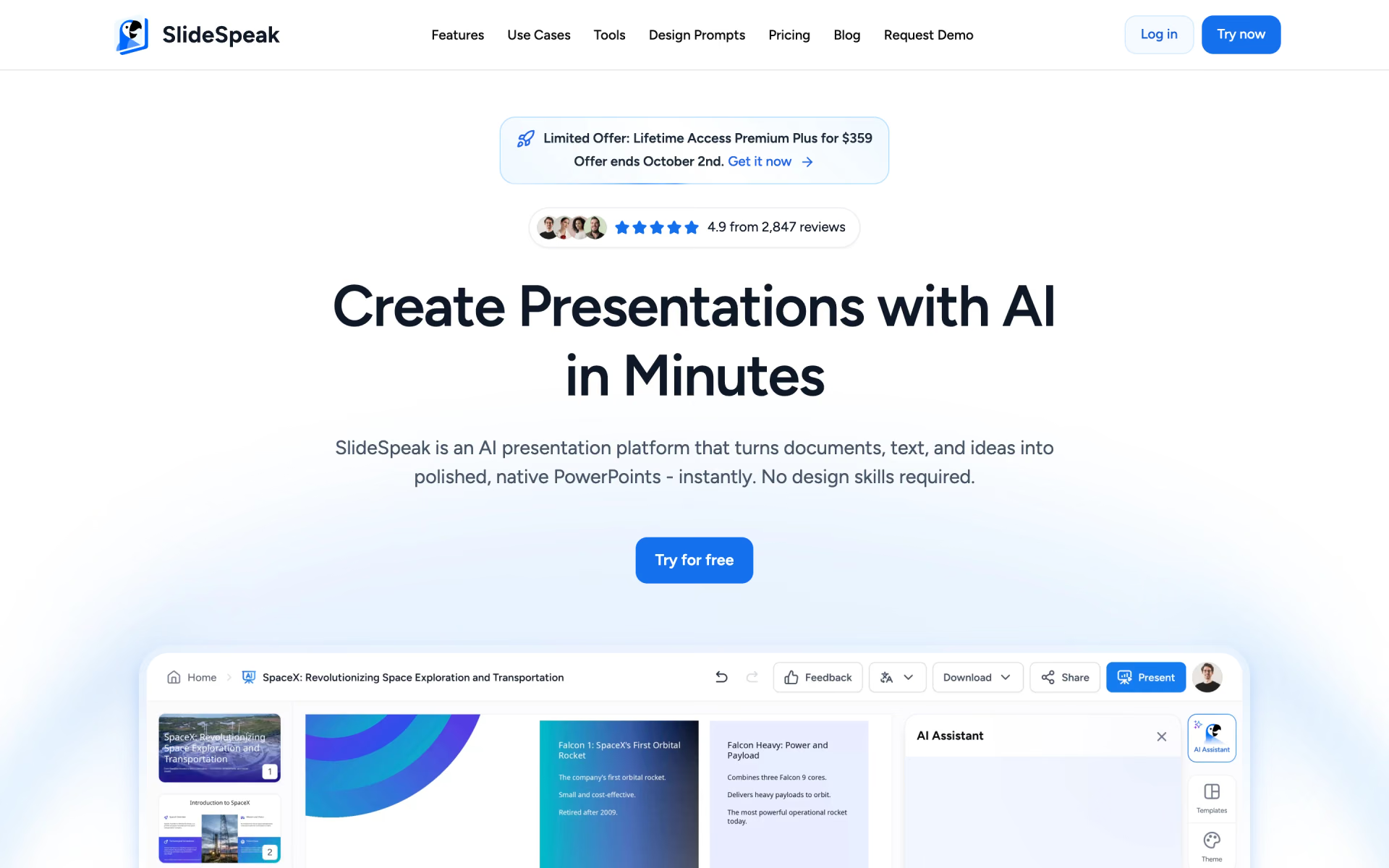
What is SlideSpeak?
Presentations from PDFs and Word files.
Who is SlideSpeak best for?
SlideSpeak is best for consultants, students and trainers who need reports turned into editable PowerPoint files.
Turning reports into slides
Upload a PDF, Word file or Excel sheet and it builds a structured deck, so you do not copy content across by hand.
Teams that need real PowerPoint files
Decks download as native .pptx files with fonts and layouts kept, unlike web-first tools such as Gamma.
On-brand company decks
Premium Plus applies your fonts, colours and logo, and your own .pptx or .potx template can be imported for $129.
Training and explainer videos
Paid plans turn a deck into a narrated video, and whole presentations can be translated with the layout kept.
How much does SlideSpeak cost?
SlideSpeak is free to start with 100 one-time credits, and its paid plans cost $29 a month for Premium or $34 a month for Premium Plus, or 15% less billed yearly.
- 100 credits at sign-up, about 3 presentations
- 50 MB file size limit
- AI assistant and document chat
- 1,000 credits a month, about 27 presentations or 13 AI videos
- Export to PDF, PowerPoint and more
- No file size limit, 30-day version history
- 2,500 credits a month, about 67 presentations or 33 AI videos
- Branded presentations and a custom brand image library
- 90-day version history
Billed yearly, Premium is $24.65 and Premium Plus $28.90 a month. Enterprise is priced on request and adds SSO, several custom templates and a custom credit volume. Any paid plan can buy one-time credit packs of 500 for $10, 2,000 for $30 or 5,000 for $50, which last 12 months. Importing a custom template costs $129 per template. Credits are spent per slide: 1 credit on SlideSpeak AI 4.0, 5 on AI 5.0 or AI video. Verified students and educators get 25% off. Full pricing on slidespeak.co. We checked these prices on .
How do readers rate SlideSpeak?
No one has rated SlideSpeak yet. Be the first.
Sign in to rate. One rating per account.
What are the best SlideSpeak alternatives?
One tool on Recaply does SlideSpeak's job. It is open source, so you can run it on your own server.

Questions about SlideSpeak
What is SlideSpeak?
Presentations from PDFs and Word files.
Who is SlideSpeak for?
SlideSpeak is best for consultants, students and trainers who need reports turned into editable PowerPoint files.
Is SlideSpeak free?
Yes. SlideSpeak has a free plan: 100 credits at sign-up, about 3 presentations.
How much does SlideSpeak cost?
SlideSpeak's paid plans are Premium at $29 per month and Premium Plus at $34 per month.
Is there an open source alternative to SlideSpeak?
Yes. Paper2Slides is an open source tool that does the same job, so you can run your own.
What are the best SlideSpeak alternatives?
The closest alternatives on Recaply are Paper2Slides.
Where can I try SlideSpeak?
On its official website, slidespeak.co.
How far do SlideSpeak credits go?
SlideSpeak charges credits per slide: 1 credit a slide on SlideSpeak AI 4.0 and 5 on AI 5.0 or AI video. Taking a 15-slide deck, Premium's 1,000 monthly credits cover about 27 presentations or 13 AI videos.
Does SlideSpeak offer refunds?
Yes. SlideSpeak refunds a subscription if you ask in its support chat within 7 days of the first purchase, though promotional offers are excluded. You can also cancel at any time and keep access until the paid billing period ends.

 Presentations.AI

 STORYD
 Slidebean

 Korl AI
 Gamma 5