
What is OutlookDog?
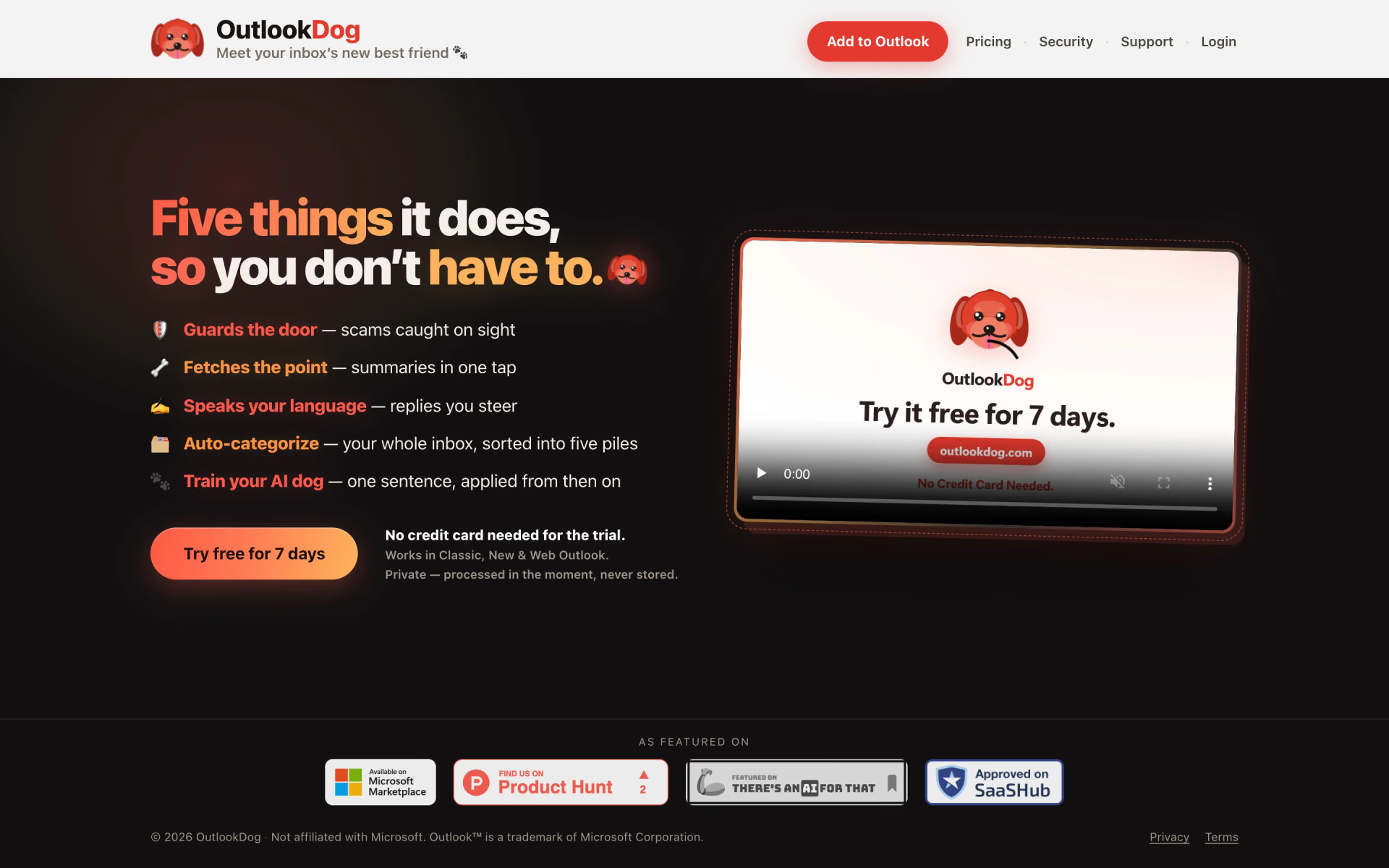
Guards your inbox against scams, summarises threads and drafts replies.
Who is OutlookDog best for?
OutlookDog is best for Microsoft 365 and Outlook.com users who want scam checks and reply drafts inside Outlook.
Spotting phishing in Outlook
Each message you open gets a plain-English scam verdict that compares the real sender domain with the display name, checks where links really go and flags pressure to pay.
Long reply-all threads
One tap turns a long thread into a few lines on what was said and what is being asked of you.
Morning inbox triage
It files recent mail into Caution, Act, Read, Reference and Noise as real Outlook categories, so the piles also show on your phone and on the web.
People who avoid rule builders
You write a filing rule as one plain sentence, and it applies to new mail and to what is already in your inbox.
How much does OutlookDog cost?
OutlookDog has no free plan, only a 7-day free trial, and then costs $7 per mailbox per month on Personal or $9 per seat per month on Business, with lower rates as you add mailboxes or seats.
- 500 AI actions a day
- Every feature included
- No credit card needed
- No daily cap on AI actions
- $6 each for 2 to 4 mailboxes, $5 each for 5 or more
- For personal outlook.com, hotmail.com and live.com accounts
- Everything in Personal, plus team seats and roster admin
- Seats 11 to 25 cost $8 each, seat 26 and up $7
- Priority support and a Data Processing Agreement
Enterprise, for 100 seats or more, is priced on request with an SLA, custom terms and invoicing. Personal can be paid yearly for 2 months free, and Business is billed monthly or yearly. Work accounts go on Business and personal accounts on Personal. The trial runs 7 days from your first sign-in, and adding a card when you subscribe gives another 7 free days for up to 5 mailboxes or seats. You can bring your own AI key on any plan; your AI provider bills that usage separately. Full pricing on outlookdog.com. We checked these prices on .
How do readers rate OutlookDog?
No one has rated OutlookDog yet. Be the first.
Sign in to rate. One rating per account.
Questions about OutlookDog
What is OutlookDog?
Guards your inbox against scams, summarises threads and drafts replies.
Who is OutlookDog for?
OutlookDog is best for Microsoft 365 and Outlook.com users who want scam checks and reply drafts inside Outlook.
Is OutlookDog free?
No. OutlookDog offers a 7-day free trial with every feature and 500 AI actions a day, and no card is needed to start. After the trial you need a paid plan, from $7 per mailbox per month on Personal or $9 per seat per month on Business.
How much does OutlookDog cost?
OutlookDog's paid plans are Personal at $7 per mailbox per month and Business at $9 per seat per month.
Where can I try OutlookDog?
On its official website, outlookdog.com.
Does OutlookDog work with Gmail or Yahoo accounts?
No. OutlookDog runs only on Microsoft-hosted mailboxes: Microsoft 365 and Exchange work accounts, plus personal outlook.com, hotmail.com and live.com addresses. Gmail, Yahoo and other accounts added to the Outlook app cannot run add-ins, which is a Microsoft limit.
 Zero Inbox

 Inbox Narrator

 Tidyread
 Kerlig
 Nily AI

 Meco