
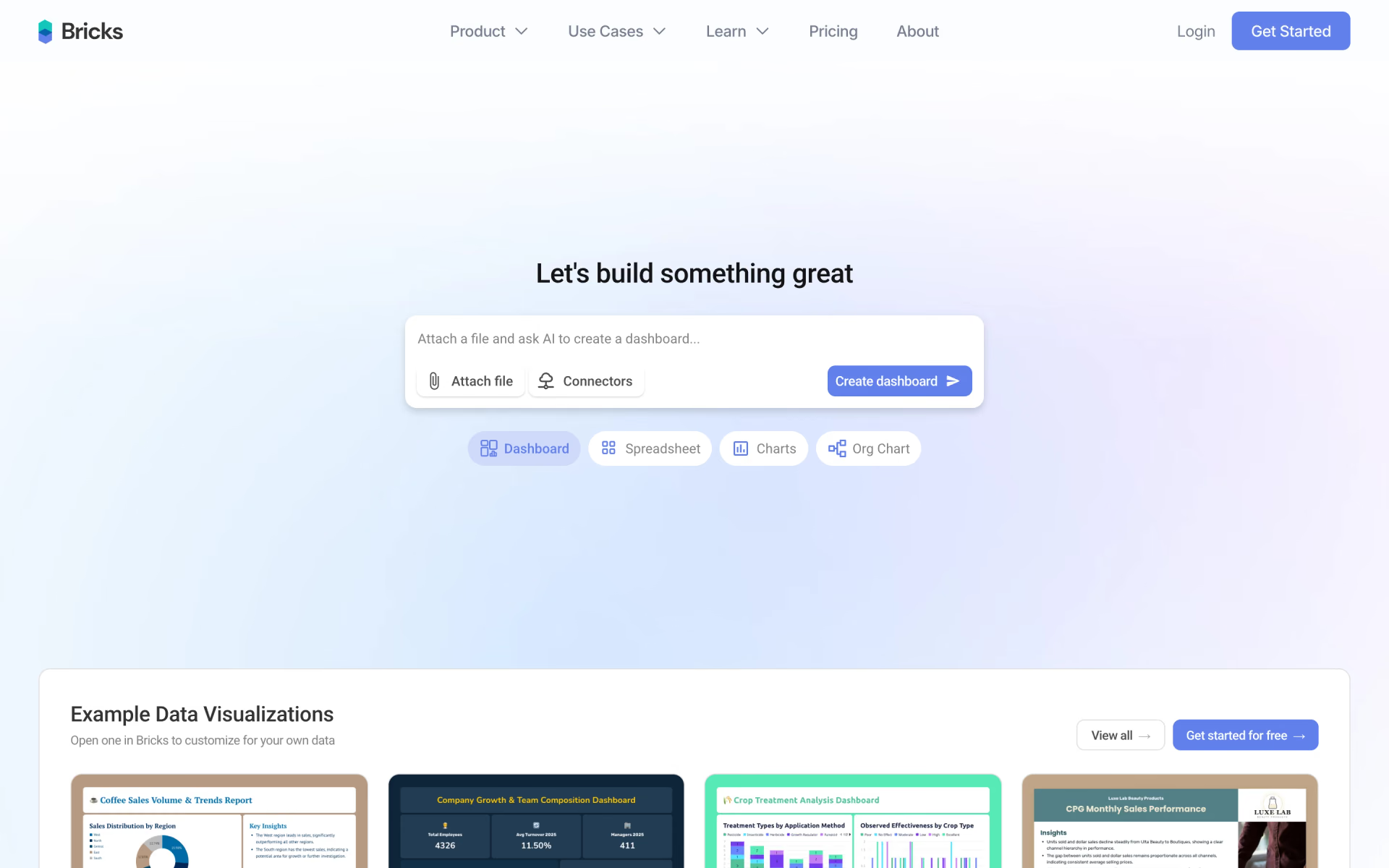
What is Bricks?
Interactive dashboards and reports from your data.
Who is Bricks best for?
Bricks is best for people who keep their numbers in spreadsheets and want clean dashboards without a BI tool.
Teams without a data analyst
Upload a CSV, Excel or PDF file and it builds a dashboard with charts, KPIs and written insights in about a minute, with no formulas or SQL.
Recurring monthly reports
Saved templates and one-click refresh rebuild the same layout from new data, and the result exports to PDF or PPTX for staff or clients.
People who find Tableau or Power BI too heavy
It is built for everyday files of up to a few thousand rows, edited by prompt or drag and drop rather than through a full BI setup.
Sales, marketing, HR and finance teams
Pipeline, campaign, workforce and financial exports turn into shareable dashboards, and Pro adds embeds and exports to Tableau and Power BI.
How much does Bricks cost?
Bricks has a free plan with 20 AI messages a month, and its paid plans cost $25 per user per month for Premium or $100 per user per month for Pro, with 30% off when billed yearly.
- 20 AI messages a month
- AI dashboards, reports, charts and chat with your data
- Teams of up to 3 people
- 200 AI messages a month
- Export to PDF, PPTX, XLSX and HTML
- Solo workspace with spreadsheet, visual board and doc tools
- Unlimited AI messages, up to 10 team members
- Advanced connectors and embeddable dashboards
- Tableau and Power BI exports, full PDF imports of any length
Billed yearly, Premium is $17.50 and Pro $70 per user per month. An Enterprise plan with unlimited AI use and teams of more than 200 people is described in the FAQ but has no listed price. Each prompt counts as one AI message; when a month's messages run out, manual editing, exporting and sharing keep working. Plans can be cancelled at any time and stay active until the billing period ends. Full pricing on thebricks.com. We checked these prices on .
How do readers rate Bricks?
No one has rated Bricks yet. Be the first.
Sign in to rate. One rating per account.
What are the best Bricks alternatives?
Three tools on Recaply do Bricks's job.



Questions about Bricks
What is Bricks?
Interactive dashboards and reports from your data.
Who is Bricks for?
Bricks is best for people who keep their numbers in spreadsheets and want clean dashboards without a BI tool.
Is Bricks free?
Yes, Bricks has a free plan with no end date that includes 20 AI messages a month and teams of up to 3 people. Premium at $25 per user per month raises that to 200 messages, and Pro at $100 removes the limit.
How much does Bricks cost?
Bricks's paid plans are Premium at $25 per user per month and Pro at $100 per user per month.
What are the best Bricks alternatives?
The closest alternatives on Recaply are Basedash, Dashbreeze and Othor AI.
Where can I try Bricks?
On its official website, thebricks.com.
What happens when I run out of Bricks AI messages?
Bricks stops its AI features, such as generating dashboards or editing charts by prompt, until your messages reset next month or you upgrade. You can still edit dashboards by hand, change themes, export and share the ones you already have.

 DashGPT
 Mindlake AI
 Apache Superset

 Redash
 Metabase
 Reporfy