Skip to content

DirectorySkills

Whiteboard explainers: explainer, made in this run
Run 1Whiteboard explainers“Explain how a password manager works on a whiteboard-style picture”
Runs in
  • Claude Code
  • Codex
  • Cursor
  • Gemini CLI
  • GitHub Copilot
  • OpenCode
Generates with
Your agent's modelFLUX.2 [dev]falFLUX.2 klein 9BCloudflare Workers AI
Tested with
Claude Code 2.1.322Claude Opus 5.51 real run, 9 Nov
Needs
Node 20+ChromeA fal or Cloudflare Workers AI key
Licence
Recaply licence

Whiteboard Explainers

Concept explainers drawn in dry-erase marker on a whiteboard, with marker lettering.

$9.99once, yours to keep

Makes whiteboard concept explainers as one finished PNG for a post, lesson, slide or poster: quick black and blue marker drawings with red accents on a whiteboard. The drawings come from a picture model and every word is set in real type on top, so labels are always spelled right. Best as a flow of steps from left to right; other layouts work too. Needs a FAL_KEY or a Cloudflare Workers AI key; about $0.01 to $0.02 a drawing. Use when someone asks for a whiteboard-style explainer, a "how it works" diagram drawn by hand, or a concept picture for a talk or onboarding.

By RecaplyUpdated 11 Nov

Install Whiteboard Explainers

After the download, ask your agent to add it, or run the line yourself.

Read https://recaply.co/skills/whiteboard-explainer/install.md and follow it to install the whiteboard-explainer skill from whiteboard-explainer.zip.

Paste it into your agent. It reads our install steps, finds the ZIP you downloaded and adds the skill for you.

New to skills? How to install a skill

Similar skills

All 735 skills

Who Whiteboard Explainers is for

What you get

  • One explainer picture, with every label set in real type
  • Drawn as quick black and blue marker drawings with red accents on a whiteboard
  • Labels spelled exactly; the model never draws words

Good fit

  • Tech concepts
  • Onboarding
  • Product explainers

Not for

  • Charts that must show exact data
  • Pictures of real people

About this skill

You say

Explain how a password manager works on a whiteboard-style picture

It said back

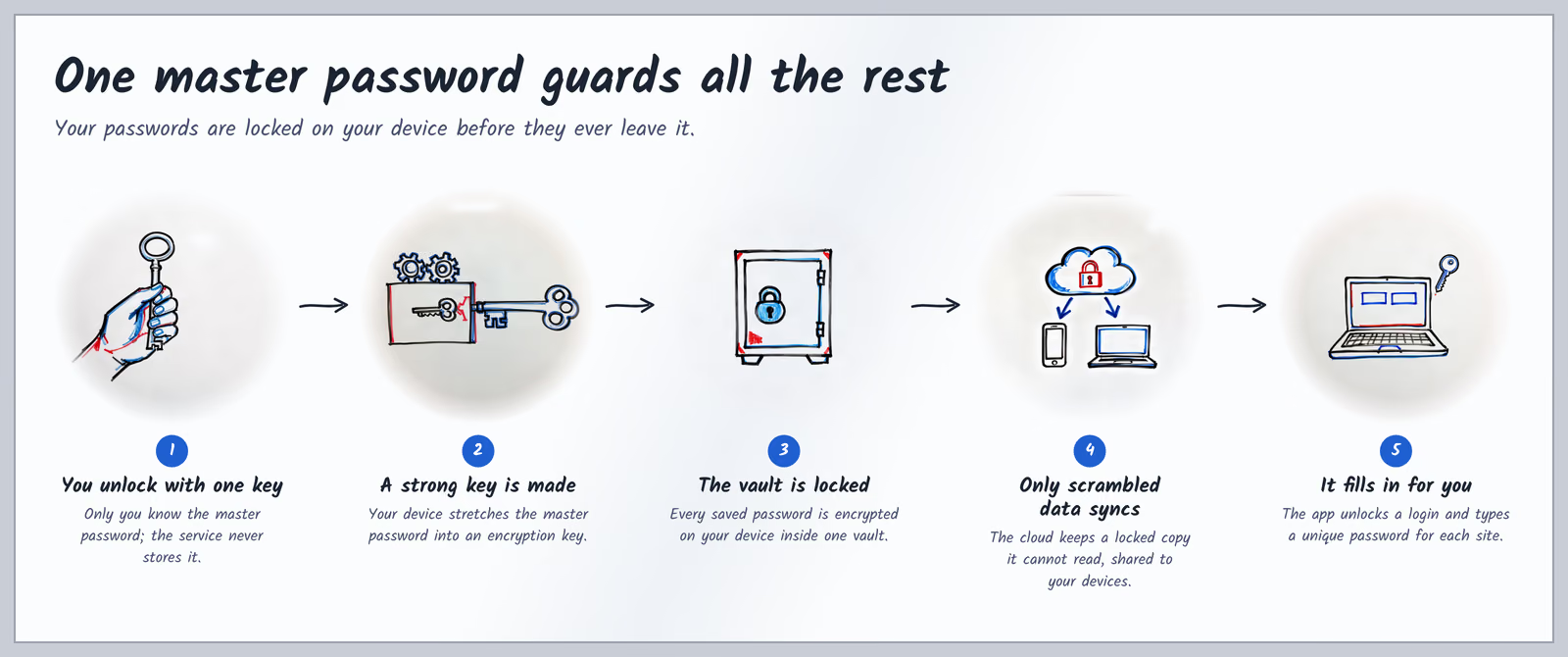
I made the whiteboard picture explaining how a password manager works. It's at password-manager/explainer.png (3200×1340).

Layout: a left-to-right flow of five steps, because a password manager is mostly a sequence of things that happen in order:

Show more

What it did in run 1

  1. whiteboard-explainer
  2. node .claude/skills/whiteboard-explainer/scripts/check.mjs
  3. ./password-manager/plan.json
  4. cd ./password-manager && node ../.claude/skills/whiteboard-explainer/scripts/draw.mjs plan.json
  5. ./password-manager/art/item-1.png
  6. ./password-manager/art/item-2.png
  7. ./password-manager/art/item-3.png
  8. ./password-manager/art/item-4.png
  9. ./password-manager/art/item-5.png
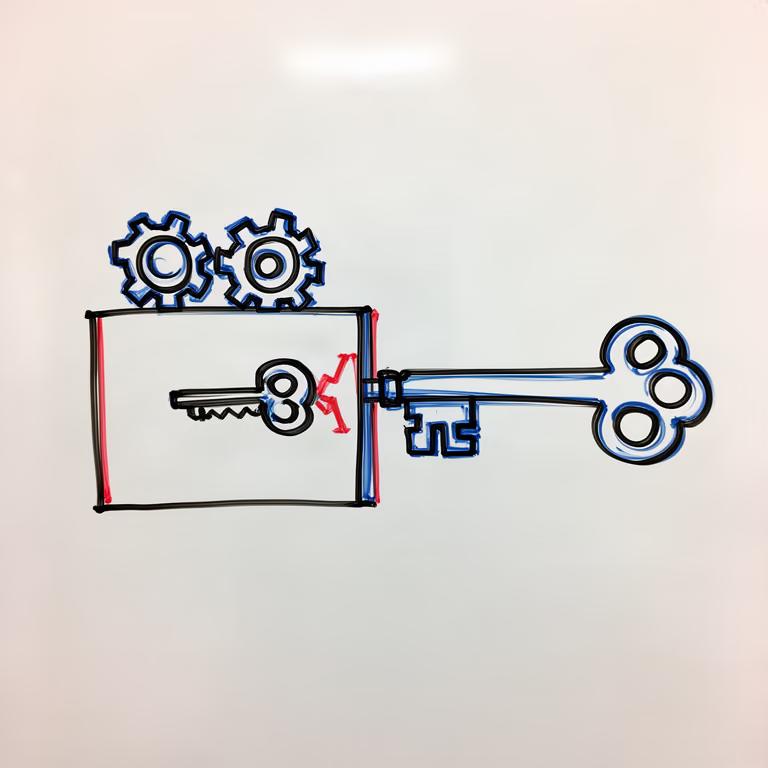
  10. python3 - <<'EOF' import json p=json.load(open('plan.json')) p['items'][1]['art']="two meshing gears beside a simple small key turning into a large ornate key, plain background" p['items'][3]['art']="a cloud with a padlock inside it and arrows down to a blank phone and a blank laptop" p['items'][4]['art']="a laptop with two empty input boxes on screen and a small key floating beside them" json.dump(p,open('plan.json','w'),indent=2) EOF rm art/item-2.png art/item-4.png art/item-5.png node ../.claude/skills/whiteboard-explainer/scripts/draw.mjs plan.json
  11. ./password-manager/plan.json
  12. ./password-manager/plan.json
  13. ./password-manager/plan.json
  14. node ../.claude/skills/whiteboard-explainer/scripts/draw.mjs plan.json --only item-2 && node ../.claude/skills/whiteboard-explainer/scripts/draw.mjs plan.json --only item-4 && node ../.claude/skills/whiteboard-explainer/scripts/draw.mjs plan.json --only item-5
  15. ./password-manager/art/item-2.png
  16. ./password-manager/art/item-4.png
  17. ./password-manager/art/item-5.png
  18. ./password-manager/plan.json
  19. node ../.claude/skills/whiteboard-explainer/scripts/draw.mjs plan.json --only item-2
  20. ./password-manager/art/item-2.png
  21. node ../.claude/skills/whiteboard-explainer/scripts/compose.mjs plan.json
  22. ./password-manager/explainer.png
  23. Done

9 Nov 2026 · Claude Code 2.1.322 with Claude Opus 5.5 · 1 min 30 s · $0.37 of API use

Questions

Is Whiteboard Explainers free?

No. Whiteboard Explainers costs $9.99 once and stays in your Recaply account, or it comes with the Recaply plan ($19.99 a month), which opens every premium skill and prompt.

Which agents can use Whiteboard Explainers?

Claude Code, Codex, Cursor, Gemini CLI, GitHub Copilot and OpenCode.

What do I get when I buy Whiteboard Explainers?

A ZIP of the whole skill folder (25 KB): the SKILL.md your agent follows and its 5 other files, the references, templates and scripts it uses. You download it from this page whenever you need it, and install it in Claude Code, Codex, Cursor, Gemini CLI, GitHub Copilot and OpenCode. The Recaply plan opens it too, with every other premium skill and prompt.

How do I install Whiteboard Explainers?

Buy it, then download the ZIP from this page. For Claude Code, unzip it into .claude/skills/ in your project. For Codex, Cursor and Gemini CLI, unzip it and run npx skills add ./whiteboard-explainer with your agent's flag.

What do I get from Whiteboard Explainers?

One explainer picture, with every label set in real type. Drawn as quick black and blue marker drawings with red accents on a whiteboard. Labels spelled exactly; the model never draws words.

What does Whiteboard Explainers need?

Node 20+, Chrome and a fal or Cloudflare Workers AI key (it reads FAL_KEY). Each use costs about $0.01 to $0.02 a drawing.

How big is Whiteboard Explainers?

6 files, about 15,109 tokens in all. The SKILL.md is about 2,134 tokens, and your agent reads it only when the job fits.

What does a run cost?

Our 1 runs took 1 min 30 s to 1 min 30 s and $0.37 to $0.37 of API use each, in Claude Code with claude-opus-5-5. On a Claude plan, a run counts toward your usage instead.

Do I have to name Whiteboard Explainers to use it?

Type /whiteboard-explainer first to make sure it loads. Without it, Claude Code may judge a small job simple enough to do without the skill.