 Video
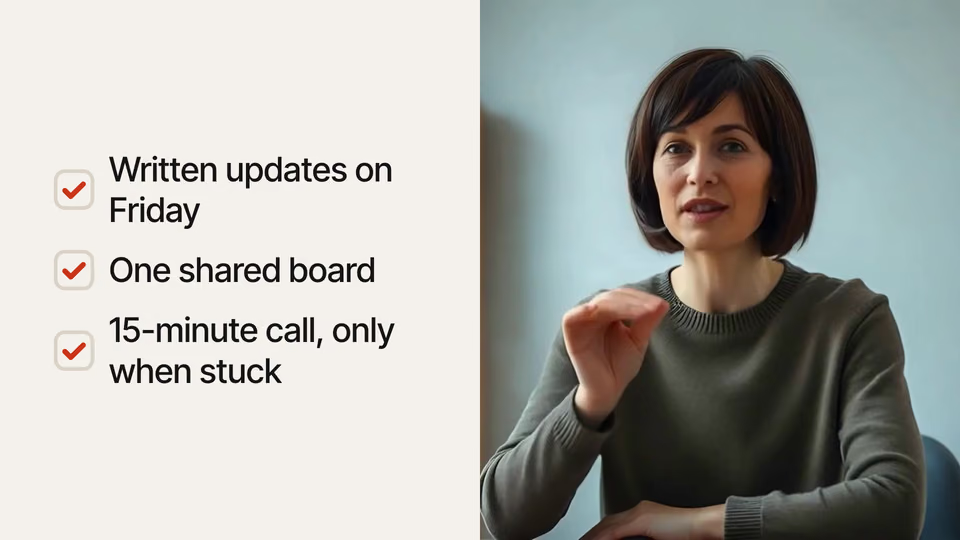
Checklist Beside the Speaker


 Ticking checklist on video
Claude CodeCodexCursor Gemini CLI
 GitHub Copilot
 OpenCode
Graphics and word-by-word captions on a video of you talking, timed to what you say.
2 views
$9.99once, yours to keep
Payments are non-refundable. See our Terms of service.
Yours. Download it, then add it to your agent.
Adds animated graphics and captions to a video of a person talking to camera, timed to what they say - side panels with lists, numbers that count up, cards, bar and line charts, rings, tables, funnels, pyramids, radar charts, equations, nested groups, balances, calendars, device links, diagrams (steps, merge, fan, hub, cycle), timelines, 2x2 maps, chats, quotes, screenshots with callouts, picture walls, notifications, keyboard shortcuts, struck-out words, chapter cards, name tags, labels around the speaker, keyword captions, punch-in zooms and word-by-word captions. Keeps their sound. Works for 16:9, 9:16, 1:1 and 4:5, and can crop a wide video to vertical. Renders locally with Chrome and ffmpeg; no video model and no cost. Use when someone wants a talking-head video edited with motion graphics, B-roll cards or captions - a YouTube video, a Reel, TikTok or Short, a course lesson, a podcast clip, a founder update or an explainer.
By RecaplyUpdated 11 Nov
Video
Ticking checklist on video
 Video
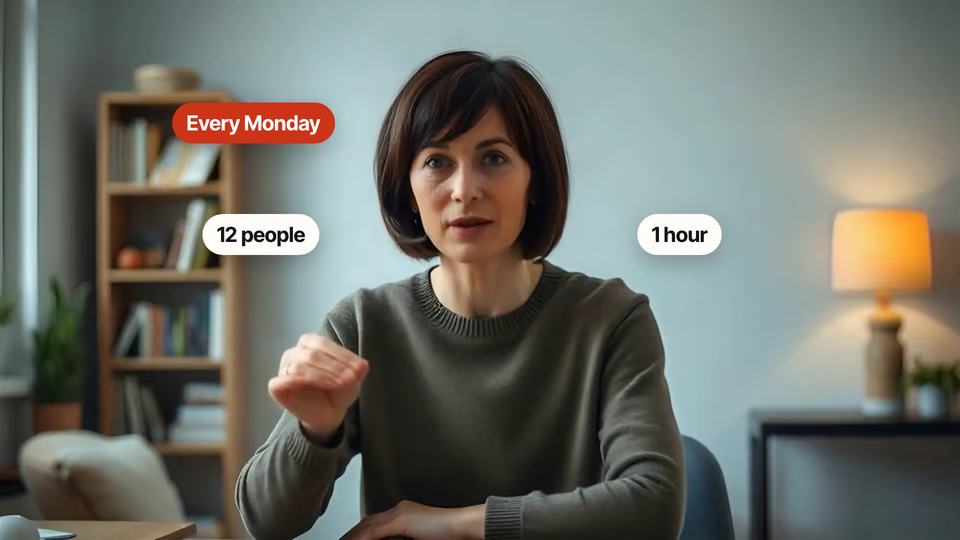
Pop-up labels around the head
 Video1 view, 0 downloads
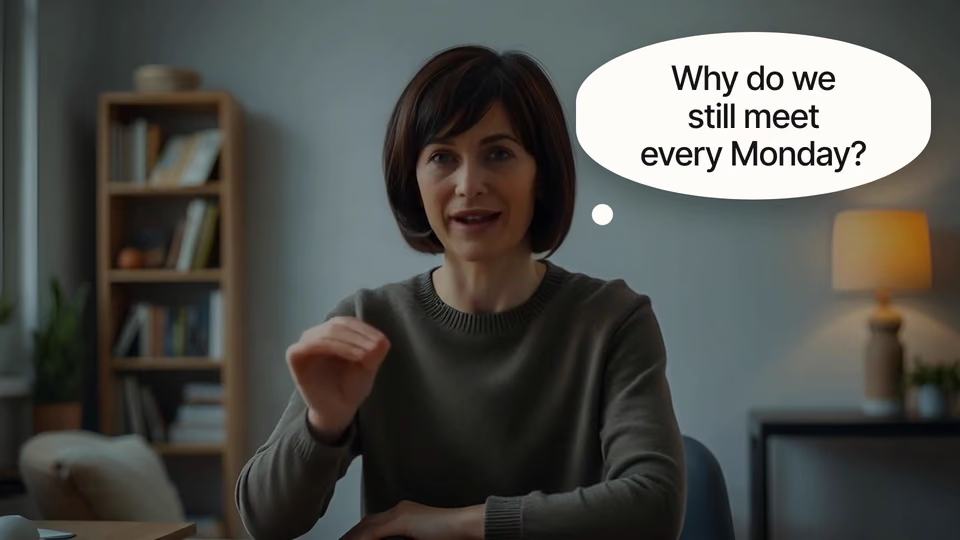
Thought bubble that pauses video
 Video
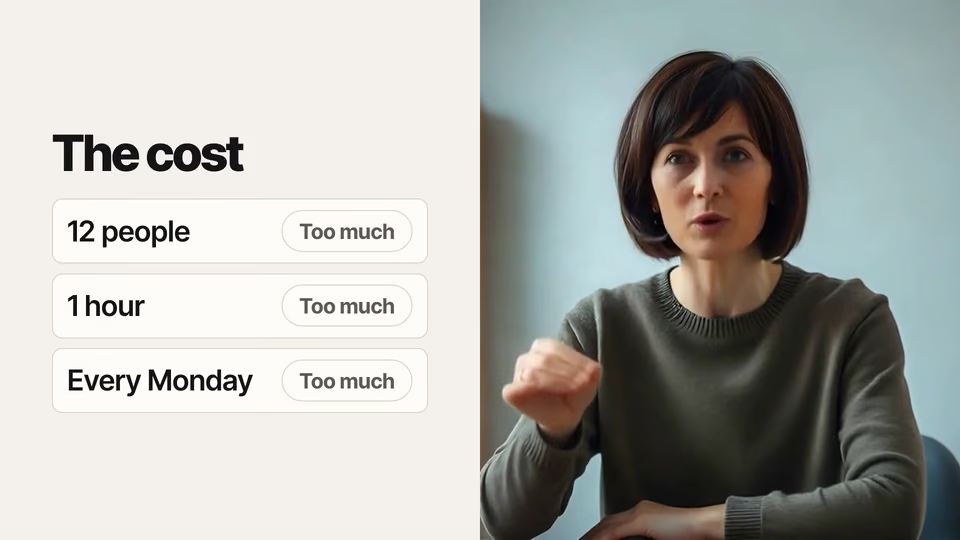
Pass and fail specs on video
You say
I recorded talk.mp4 for our YouTube channel and the transcript is talk.json. Can you add graphics where I mention numbers and the three things we tried, plus captions? I'm Maya Ortiz, head of operations at Loopwork.
It said back
I've finished the edited video: talk-graphics.mp4. It's 1920×1080, 24.3 s long, 30 fps and 12 MB, and the sound is your original audio, unchanged. Your recording is 1280×720, so it's scaled up to 1080p for YouTube and will look slightly softer than footage shot at 1080p.
The graphics use the "paper" look: warm off-white panels, black type and a tomato-red accent. Each one is timed to the words you say:
What it did in run 1
ls -la; S=.claude/skills/presenter-overlays; node …ls -la && node scripts/check.mjsoverlay.json51 Bscripts/overlay.mjs overlay.json --words && ffprobe -v error …scripts/overlay.mjs overlay.json --wordsscripts/overlay.mjs overlay.json --face 5face-check.pngscripts/overlay.mjs overlay.json --beatsoverlay.json1 KBsed -i '' -e 's/"label": "Each week", "value": "1 hour"/"label": …overlay.json (2 times)scripts/overlay.mjs overlay.json --checkoverlay.jsonscripts/overlay.mjs overlay.json --checkoverlay-check.pngoverlay.json (3 times)scripts/overlay.mjs overlay.json --checkoverlay-check.pngscripts/overlay.mjs overlay.json 2>&1 | tail -15 && ls -la *.mp4Run 2 · A vertical Reel with bold captions
Make a vertical Reel from talk.mp4 with bold captions and a couple of graphics. The captions file is talk.srt. Our brand colour is #7C3AED.
Run 3 · Captions with no transcript
Add animated captions and a few explainer graphics to talk.mp4. I don't have a transcript.
Run 4 · A square cut for LinkedIn
Cut a square version of talk.mp4 for LinkedIn with a dark look, captions, and graphics for the key points. The transcript is talk.json.
No. Presenter Overlays costs $9.99 once and stays in your Recaply account, or it comes with the Recaply plan ($19.99 a month), which opens every premium skill and prompt.
Claude Code, Codex, Cursor, Gemini CLI, GitHub Copilot and OpenCode.
A ZIP of the whole skill folder (106 KB): the SKILL.md your agent follows and its 12 other files, the references, templates and scripts it uses. You download it from this page whenever you need it, and install it in Claude Code, Codex, Cursor, Gemini CLI, GitHub Copilot and OpenCode. The Recaply plan opens it too, with every other premium skill and prompt.
Buy it, then download the ZIP from this page. For Claude Code, unzip it into .claude/skills/ in your project. For Codex, Cursor and Gemini CLI, unzip it and run npx skills add ./presenter-overlays with your agent's flag.
An MP4 with your own sound, at the shape you asked for. Graphics that appear as you say each number or point. Captions word by word, from your transcript or one it makes.
Node 22+, Chrome and ffmpeg, and no API key. Each use costs nothing beyond your agent.
13 files, about 80,442 tokens in all. The SKILL.md is about 2,780 tokens, and your agent reads it only when the job fits.
Our 4 runs took 1 min 51 s to 2 min 14 s and $0.32 to $0.48 of API use each, in Claude Code with Claude Opus 5.5. On a Claude plan, a run counts toward your usage instead.
No. In our runs Claude Code saw the job fit and loaded Presenter Overlays on its own. Typing /presenter-overlays first makes sure it loads.