Skip to content

DirectorySkills

Clean shapes slide deck: 01, made in this run
Run 1Clean shapes slide deck“Make a monthly update deck our managers can edit in PowerPoint. Fill it with the support team's October update in brief.md, so they can see how to use it.”
Runs in
  • Claude Code
  • Codex
  • Cursor
  • Gemini CLI
  • GitHub Copilot
  • OpenCode
Generates with
Your agent's model
Tested with
Claude Code 2.1.322Claude Sonnet 5.51 real run, 12 Nov
Needs
Node 20+Chromeffmpeg
Licence
Recaply licence

Clean Shapes Slide Deck

Slide decks that look like a plain, tidy deck built from flat shapes, as PDF, PNGs, browser deck and PowerPoint.

$9.99once, yours to keep

Makes slide decks styled as a plain, tidy deck built from flat shapes, from notes, a document or figures: title, agenda, section, bullet, column, card, picture, quote, big number, chart, timeline, table, formula and closing slides, saved as a PDF, a PNG per slide, a deck that plays in the browser and an editable PowerPoint file, with speaker notes. White pages, flat navy, teal and amber blocks, a sturdy sans and nothing that depends on effects, so the slides stay tidy when someone opens them in PowerPoint. Every word is set in real type and checked to fit; no picture model, no key and no cost. Use when a team needs a deck that colleagues will open and edit in PowerPoint, Keynote or Google Slides afterwards, or when someone asks for a presentation, slides or a deck with a clean editable look.

By RecaplyUpdated 12 Nov

Install Clean Shapes Slide Deck

After the download, ask your agent to add it, or run the line yourself.

Read https://recaply.co/skills/clean-shapes-deck/install.md and follow it to install the clean-shapes-deck skill from clean-shapes-deck.zip.

Paste it into your agent. It reads our install steps, finds the ZIP you downloaded and adds the skill for you.

New to skills? How to install a skill

Similar skills

All 735 skills

Who Clean Shapes Slide Deck is for

What you get

  • A PDF, a PowerPoint file and a web page to present from
  • The clean editable look: a plain, tidy deck built from flat shapes
  • Every slide checked to fit before it is saved

Good fit

  • Internal updates
  • Team decks others will edit
  • Templates

Not for

  • Filling in an existing PowerPoint template
  • Decks in another company's brand

About this skill

You say

Make a monthly update deck our managers can edit in PowerPoint. Fill it with the support team's October update in brief.md, so they can see how to use it.

It said back

The October update deck is built as a 6-slide PowerPoint file, with a PDF, a browser version and a PNG per slide. I read the check sheet and slide 3 after the final build. I didn't open the other slides individually or the PowerPoint file.

Files are in update/monthly-update-october-2026/:

  • monthly-update-october-2026.pptx is the editable deck. Every word is a real text box, and the speaker notes are included.
  • monthly-update-october-2026.pdf is one page per slide.
  • monthly-update-october-2026.html is the browser version. Press E there to edit the text.
  • slides/ holds one PNG per slide.
  • notes.md holds the speaker notes.
  • update/deck.json is the source. Managers can also edit that and rebuild.
Show more

What it did in run 1

  1. clean-shapes-deck
  2. ./brief.md
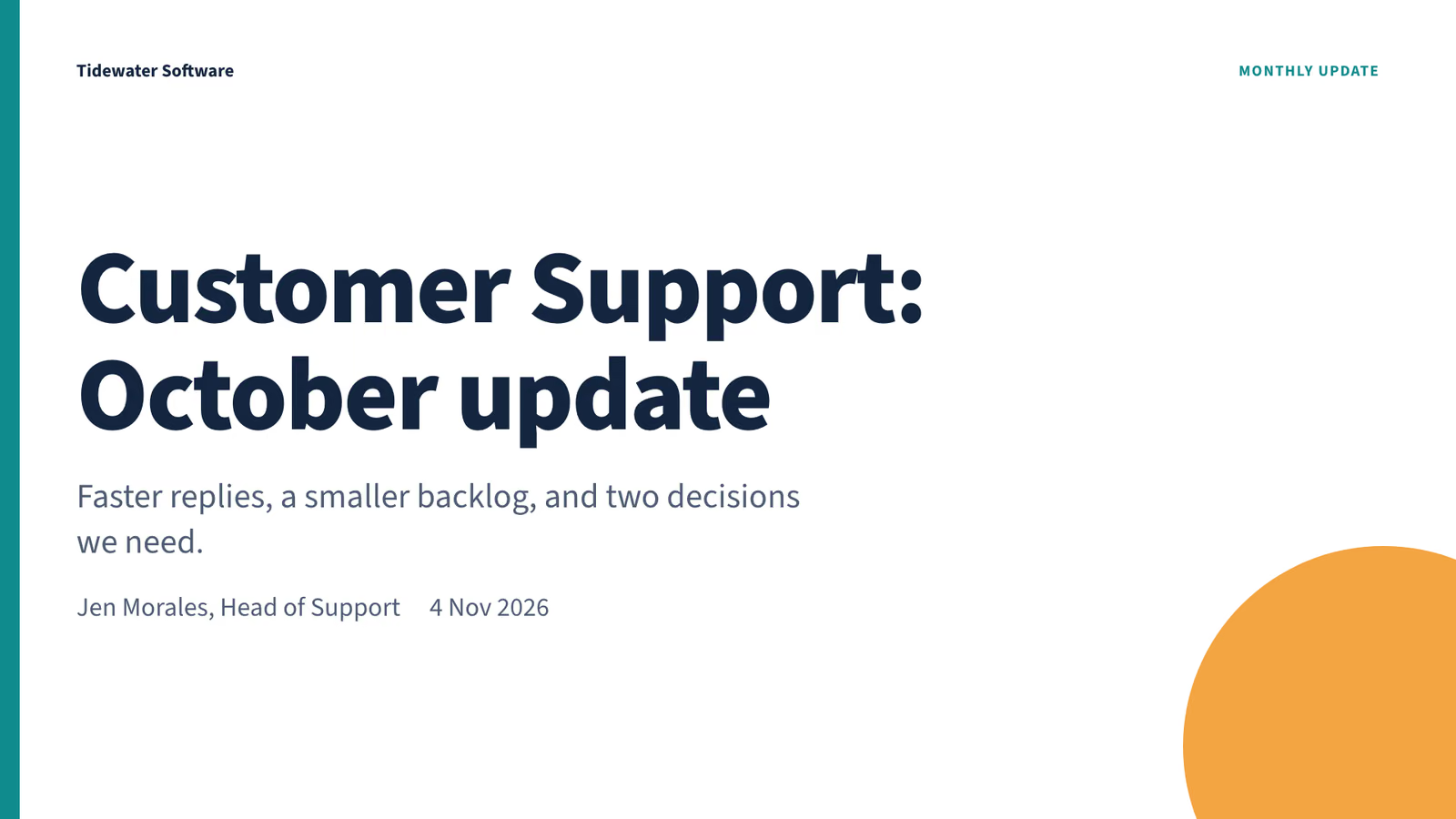
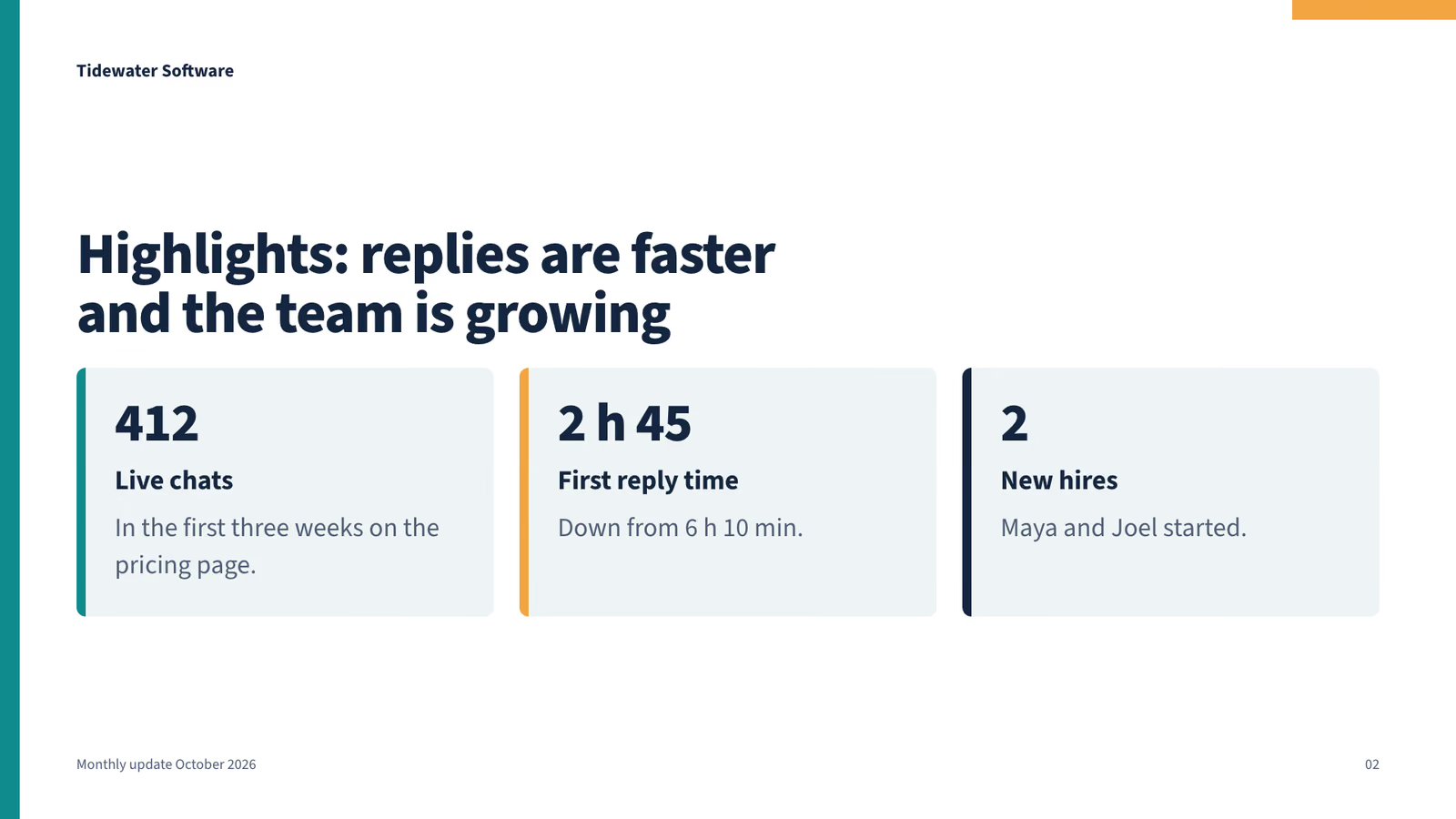
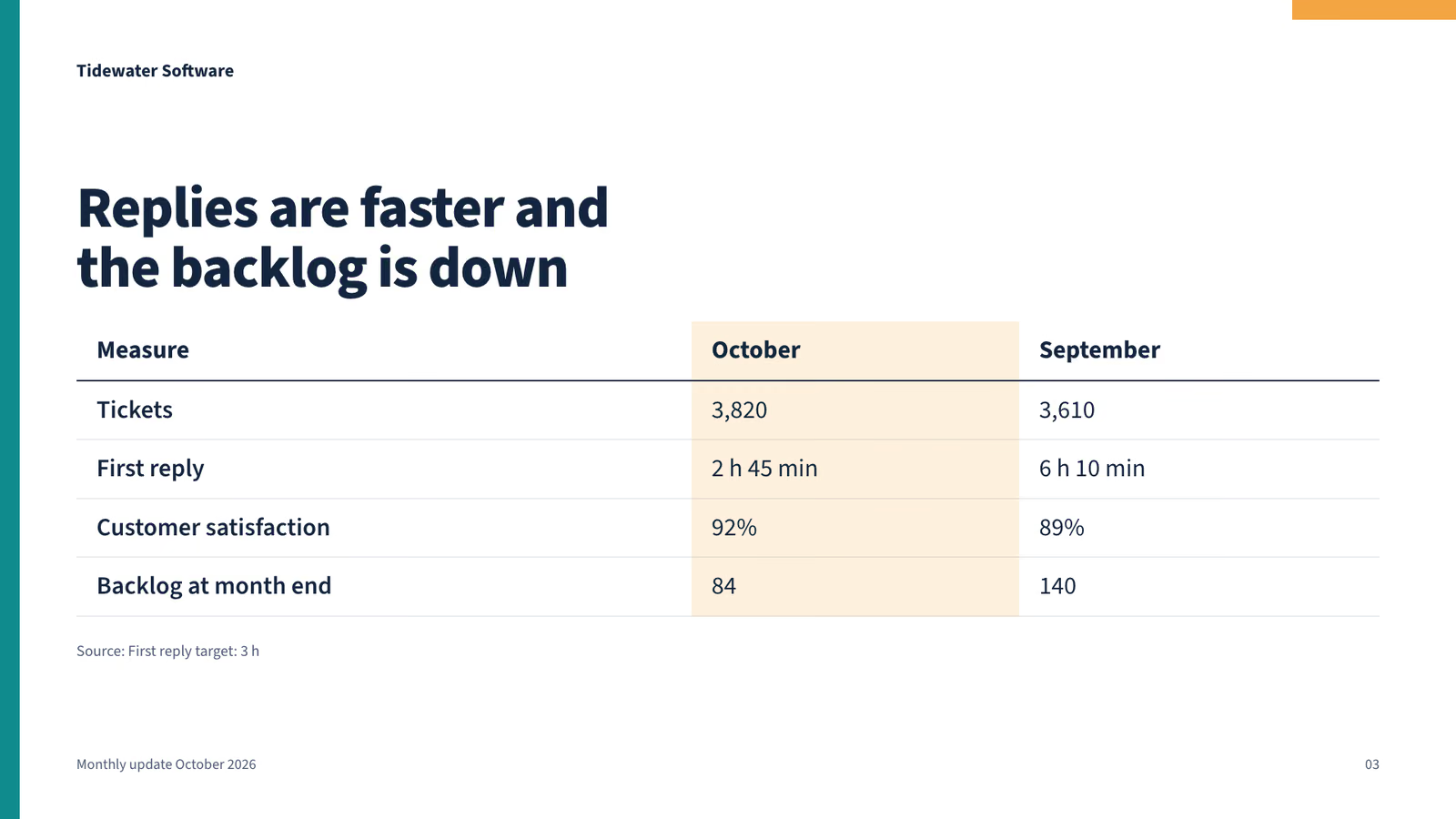
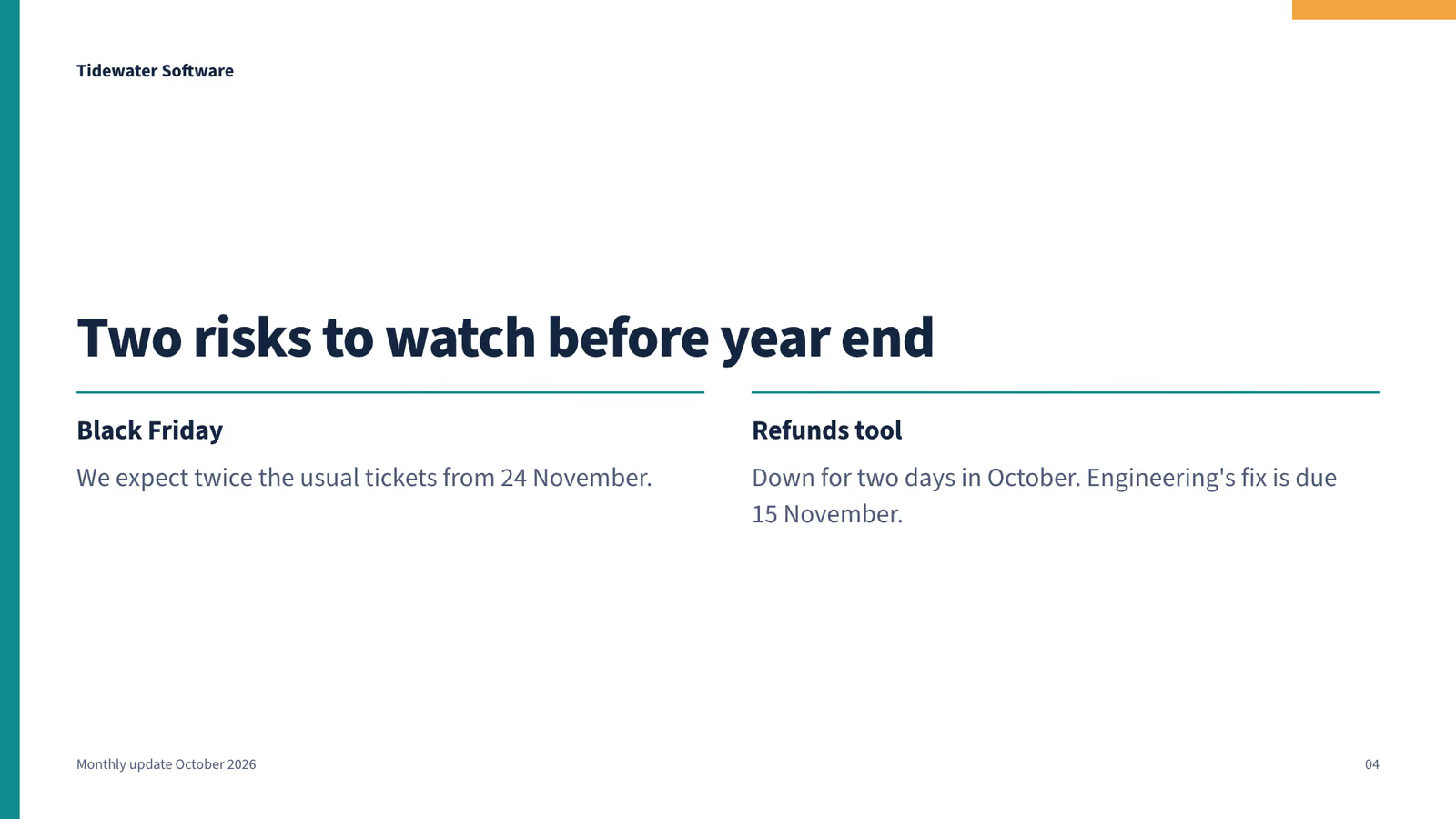
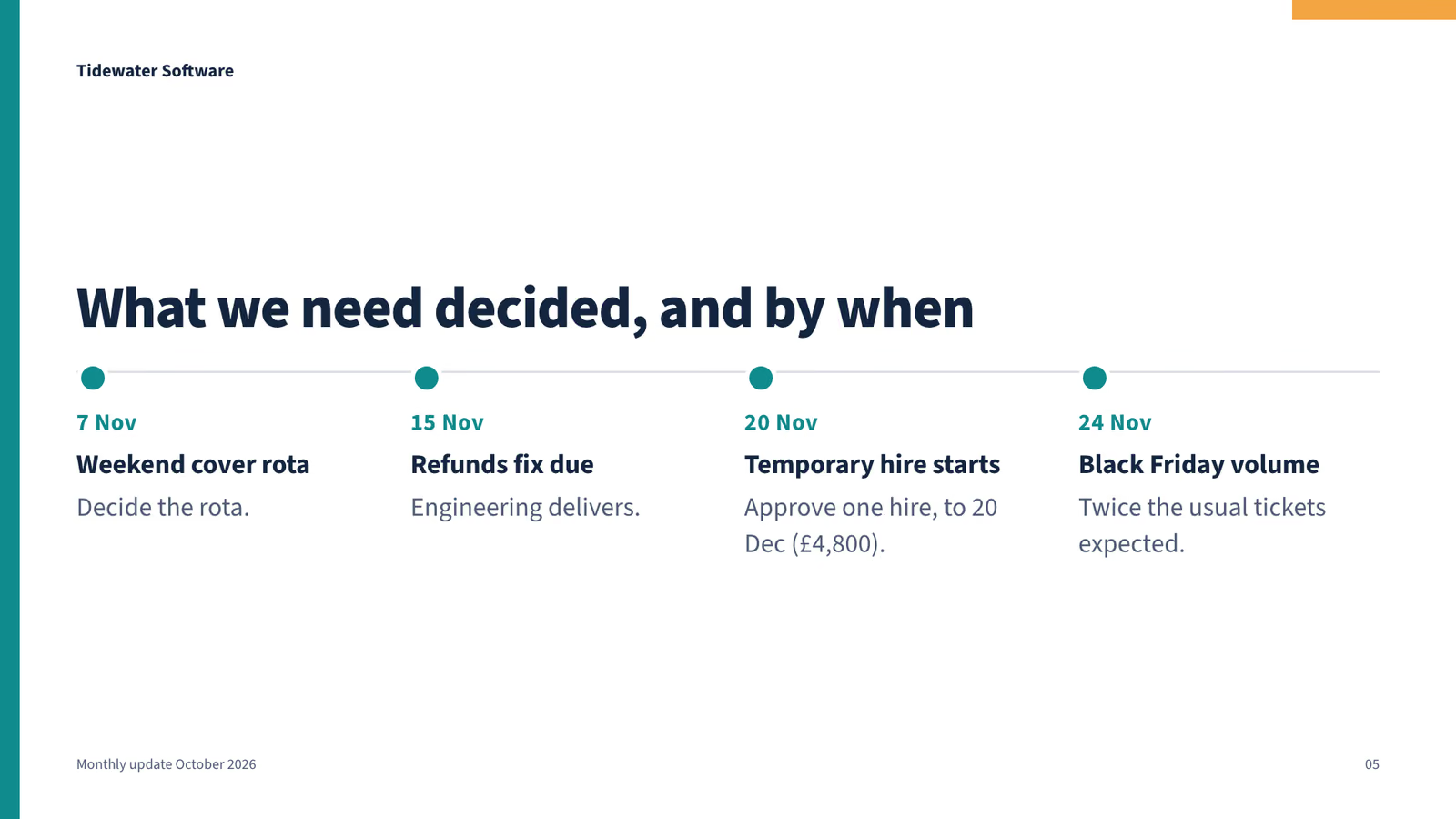
  3. S=.claude/skills/clean-shapes-deck && node $S/scripts/check.mjs && mkdir -p update && cat > update/deck.json <<'EOF' { "title": "Monthly update October 2026", "name": "Tidewater Software", "author": "Jen Morales, Head of Support", "date": "4 Nov 2026", "slides": [ {"layout":"title","title":"Customer Support: October update","subtitle":"Faster replies, a smaller backlog, and two decisions we need.","kicker":"Monthly update","notes":"Presented by Jen Morales, 4 November 2026."}, {"layout":"cards","title":"Highlights: replies are faster and the team is growing","cards":[ {"value":"412","title":"Live chats","text":"In the first three weeks on the pricing page."}, {"value":"2 h 45","title":"First reply time","text":"Down from 6 h 10 min."}, {"value":"2","title":"New hires","text":"Maya and Joel started."}], "notes":"Live chat launched on the pricing page. Two new hires started: Maya and Joel."}, {"layout":"table","title":"Every number improved on September","table":{"columns":["Measure","October","September"],"rows":[["Tickets","3,820","3,610"],["First reply","2 h 45 min","6 h 10 min"],["Customer satisfaction","92%","89%"],["Backlog at month end","84","140"]],"highlight":2},"source":"First reply target: 3 h","notes":"First reply is now inside our 3 hour target. Tickets rose, yet the backlog fell from 140 to 84."}, {"layout":"columns","title":"Two risks to watch before year end","columns":[ {"title":"Black Friday","text":"We expect twice the usual tickets from 24 November."}, {"title":"Refunds tool","text":"Down for two days in October. Engineering's fix is due 15 November."}], "notes":"Replace these with your own team's risks."}, {"layout":"timeline","title":"What we need decided, and by when","steps":[ {"when":"7 Nov","title":"Weekend cover rota","text":"Decide the rota."}, {"when":"15 Nov","title":"Refunds fix due","text":"Engineering delivers."}, {"when":"20 Nov","title":"Temporary hire starts","text":"Approve one hire, to 20 Dec (£4,800)."}, {"when":"24 Nov","title":"Black Friday volume","text":"Twice the usual tickets expected."}], "notes":"Asks: approve one temporary hire for 20 November to 20 December (£4,800); decide the weekend cover rota by 7 November."}, {"layout":"closing","title":"Two asks: a temporary hire and a weekend rota","subtitle":"Approve one temporary hire, 20 Nov to 20 Dec (£4,800). Decide the weekend cover rota by 7 Nov.","contact":["Jen Morales, Head of Support"]} ] } EOF node $S/scripts/deck.mjs update/deck.json --check
  4. ./update/deck.json
  5. S=.claude/skills/clean-shapes-deck && node $S/scripts/deck.mjs update/deck.json --check
  6. node .claude/skills/clean-shapes-deck/scripts/deck.mjs update/deck.json --check
  7. ./update/monthly-update-october-2026/check.png
  8. cd ./update && sed -i '' -e 's/Every number improved on September/Replies are faster and the backlog is down/' -e 's/"highlight":2/"highlight":1/' deck.json && cd .. && node .claude/skills/clean-shapes-deck/scripts/deck.mjs update/deck.json && ls update/monthly-update-october-2026
  9. sed -i '' -e 's/Every number improved on September/Replies are faster and the backlog is down/' -e 's/"highlight":2/"highlight":1/' update/deck.json && node .claude/skills/clean-shapes-deck/scripts/deck.mjs update/deck.json && ls update/monthly-update-october-2026
  10. ./update/deck.json
  11. ./update/deck.json
  12. node .claude/skills/clean-shapes-deck/scripts/deck.mjs update/deck.json && ls update/monthly-update-october-2026
  13. ./update/monthly-update-october-2026/slides/03.png
  14. Done

12 Nov 2026 · Claude Code 2.1.322 with Claude Sonnet 5.5 · 1 min 5 s · $0.17 of API use

Questions

Is Clean Shapes Slide Deck free?

No. Clean Shapes Slide Deck costs $9.99 once and stays in your Recaply account, or it comes with the Recaply plan ($19.99 a month), which opens every premium skill and prompt.

Which agents can use Clean Shapes Slide Deck?

Claude Code, Codex, Cursor, Gemini CLI, GitHub Copilot and OpenCode.

What do I get when I buy Clean Shapes Slide Deck?

A ZIP of the whole skill folder (40 KB): the SKILL.md your agent follows and its 6 other files, the references, templates and scripts it uses. You download it from this page whenever you need it, and install it in Claude Code, Codex, Cursor, Gemini CLI, GitHub Copilot and OpenCode. The Recaply plan opens it too, with every other premium skill and prompt.

How do I install Clean Shapes Slide Deck?

Buy it, then download the ZIP from this page. For Claude Code, unzip it into .claude/skills/ in your project. For Codex, Cursor and Gemini CLI, unzip it and run npx skills add ./clean-shapes-deck with your agent's flag.

What do I get from Clean Shapes Slide Deck?

A PDF, a PowerPoint file and a web page to present from. The clean editable look: a plain, tidy deck built from flat shapes. Every slide checked to fit before it is saved.

What does Clean Shapes Slide Deck need?

Node 20+, Chrome and ffmpeg, and no API key. Each use costs nothing beyond your agent.

How big is Clean Shapes Slide Deck?

7 files, about 26,736 tokens in all. The SKILL.md is about 3,163 tokens, and your agent reads it only when the job fits.

What does a run cost?

Our 1 runs took 1 min 5 s to 1 min 5 s and $0.17 to $0.17 of API use each, in Claude Code with claude-sonnet-5-5. On a Claude plan, a run counts toward your usage instead.

Do I have to name Clean Shapes Slide Deck to use it?

Type /clean-shapes-deck first to make sure it loads. Without it, Claude Code may judge a small job simple enough to do without the skill.